

iPerf3 TCP/UDP Client & Server
by Vladimir Chemeris (0 Reviews) May 15, 2026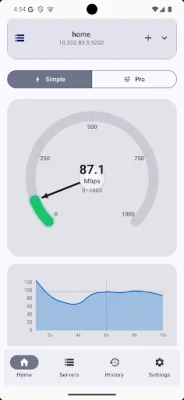
Latest Version
May 15, 2026
Vladimir Chemeris
Tools
Android
0
$2.99
com.iperf3client.pro
Report a Problem
More About iPerf3 TCP/UDP Client & Server
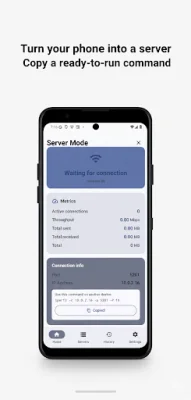
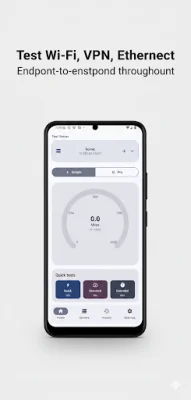
This application allows users to measure the real throughput or bandwidth between two endpoints and quickly identify any bottlenecks in their Wi-Fi, 5G/LTE, VPN, or Ethernet setups. It is important to note that this is not a one-tap "ISP speed test" and requires either an existing iperf3 server on the network or a second Android device running Server mode in the app.
Some typical use cases for this app include verifying Wi-Fi upgrades, comparing Wi-Fi vs cellular vs VPN throughput, troubleshooting slow LAN/WAN links, and measuring UDP performance for real-time traffic scenarios. It can also be used to check link quality in various settings such as the field, lab, or data center.
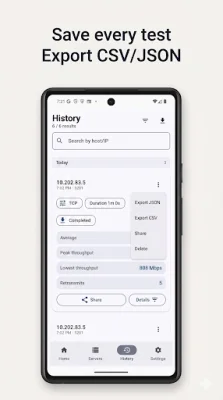
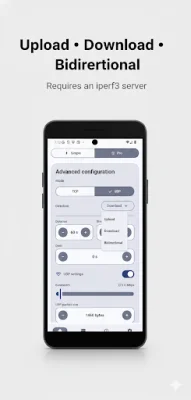
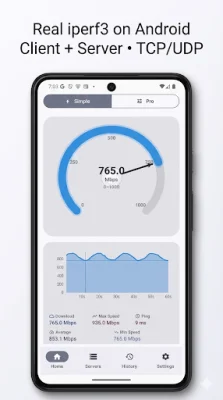
Users have the option to run iperf3 as a Client or as a Server, with the ability to conduct TCP and UDP throughput tests. They can also configure various options such as host, port, duration, parallel streams, and reverse mode. Detailed per-interval results and summaries are available after each test, and users can save results and logs for future reference.
This app is compatible with Wi-Fi, cellular (4G/5G), VPN, and wired (Ethernet) connections, and is designed for engineers and power users with a simple and fast workflow. To get started, users can start Server mode on one device or use any reachable iperf3 server, enter the server IP/host and port in Client mode, choose TCP or UDP, adjust options if needed, and run the test. Results can then be reviewed and logs can be kept for troubleshooting and comparison.
It is important to note that this app may not be suitable for those looking for a lightweight "tap once and get Mbps" app. However, for accurate and repeatable iperf3 measurements and real diagnostics, this app is built for that purpose.
Rate the App










Popular Apps









