

Mobile to PC File Transfer
1.1.4 by Deep Developer Hub (0 Reviews) October 01, 2024
Latest Version
1.1.4
October 01, 2024
Deep Developer Hub
Tools
Android
0
Free
com.sleep.night.light.meditation.free.app
Report a Problem
More About Mobile to PC File Transfer
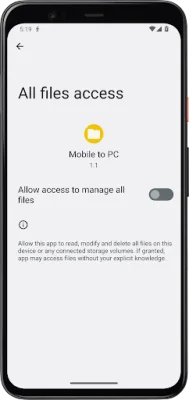
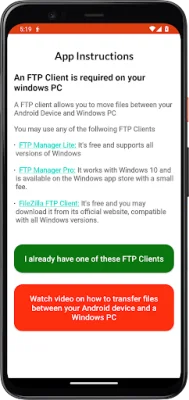
This application is designed for Android devices running on version 11 or above. It requires access to all files on your device in order to function properly. This means that it will be able to search through your storage and locate any files that you want to transfer. Additionally, it will also be able to store any files that you receive through the app.
The main purpose of this app is to make it easier for users to transfer files between their devices. By having access to all files on your device, the app can quickly and efficiently locate the files you want to transfer. This eliminates the need for users to manually search through their storage to find the specific files they want to transfer.
In order to use this app, it is necessary to have Android 11 or above installed on your device. This ensures that the app will run smoothly and without any compatibility issues. Additionally, the app requires permission to access all files on your device. This may seem like a lot of access, but it is necessary for the app to function properly and provide a seamless file transfer experience.
One of the key features of this app is its ability to store files that you receive through the app. This means that you can easily save any files that are sent to you without having to manually download and save them. This can be especially useful for large files or for users who receive a lot of files through the app.
In summary, this app is designed for Android 11 or above devices and requires access to all files on your device. Its main purpose is to make file transfer between devices easier and more efficient. By having access to all files, the app can quickly locate and transfer the files you want. It also has the ability to store files that are received through the app, making it a convenient tool for managing and transferring files.
Rate the App














Popular Apps









