

Network Scanner
2.7.6 by First Row (0 Reviews) November 12, 2025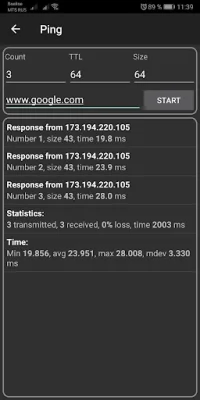
Latest Version
2.7.6
November 12, 2025
First Row
Tools
Android
0
Free
com.myprog.netscan
Report a Problem
More About Network Scanner
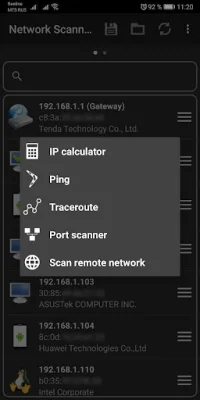
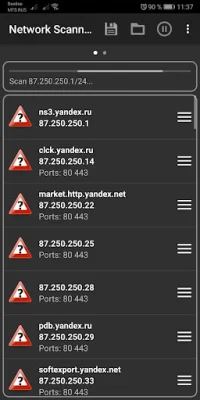
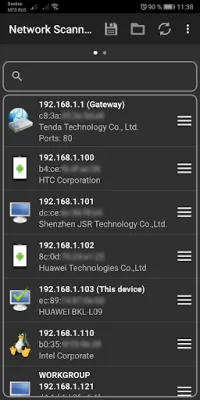
This application is designed to provide users with a variety of network tools that can assist in diagnosing and troubleshooting network issues. These tools include Ping, Traceroute, Port Scanner, IP Calculator, Wake On Lan, and a Network Information screen. Each of these tools serves a specific purpose and can be used to gather information about a network and its devices.
The Ping tool allows users to test the connection between their device and a specific server or website. This can help identify any issues with the network or server that may be causing slow or interrupted connections. Traceroute is similar to Ping, but it provides a more detailed breakdown of the route that data takes from the user's device to the destination. This can be useful in pinpointing where a connection issue may be occurring.
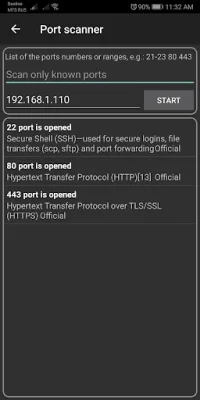
The Port Scanner tool allows users to scan a specific IP address or range of IP addresses to see which ports are open and which are closed. This can be helpful in identifying potential security vulnerabilities or in troubleshooting network connectivity issues. The IP Calculator tool helps users determine the network and host portions of an IP address, which can be useful in setting up and managing networks.
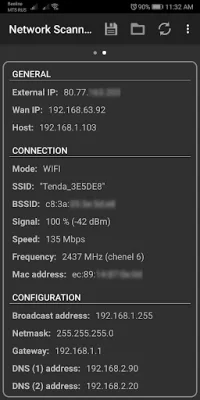
Wake On Lan is a tool that allows users to remotely wake up devices on their network. This can be useful for accessing devices that are in sleep mode or powered off, without physically being at the location. Finally, the Network Information screen provides users with a comprehensive overview of their network, including IP addresses, DNS information, and other network settings.
Overall, this application offers a range of useful tools for network diagnostics and troubleshooting. By providing users with detailed information and the ability to remotely access and wake up devices, it can help improve network performance and efficiency. Additionally, the use of SEO-oriented language in the app's description can help attract potential users and improve its visibility in search results.
Rate the App















Popular Apps









