

NotifAI – AI Summary
by Antonio Cirielli (0 Reviews) May 16, 2026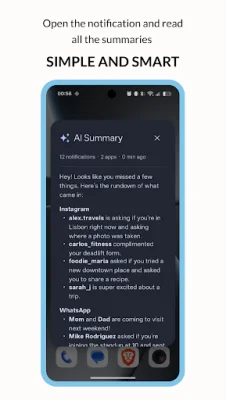
Latest Version
May 16, 2026
Antonio Cirielli
Tools
Android
0
Free
com.androidexpert35.notifai
Report a Problem
More About NotifAI – AI Summary
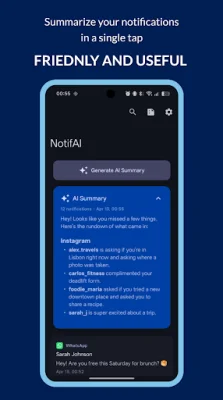
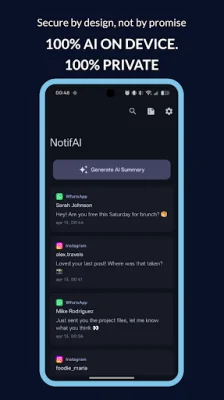
AI Notification Resume is an application that uses on-device AI to capture and summarize incoming notifications in a concise and easy-to-understand format. Unlike other apps, it does not rely on cloud or server processing, ensuring that all data stays on your phone. This app aims to save users time and effort by providing a quick overview of missed notifications, organized by app and ranked by importance.
Privacy is a top priority for AI Notification Resume, with features such as zero cloud processing, no network requirement, and no personal information logging. Users have full control over their data, with the option to clear all data with one tap and exclude certain apps from the summary process. They can also choose how long their data is kept.
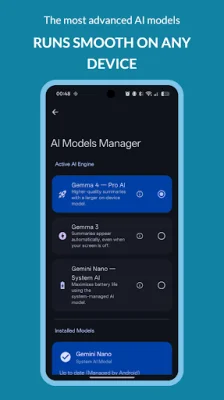
The app offers three AI engines to choose from, with the ability to recommend the best one for your device. The Gemini Nano engine is for supported Pixel and Samsung devices, while the Gemma 4 E2B is for devices with 8+ GB RAM. For budget devices, the Gemma 3 1B engine is available. Users do not need to have any knowledge about AI models as the app handles everything automatically, and they can switch engines at any time.
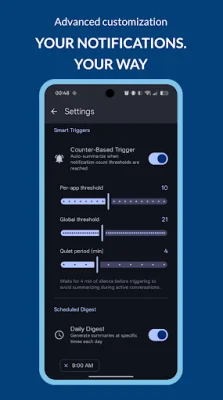
AI Notification Resume is highly customizable, with options for smart triggers, noise filtering, and scheduled digests. The app can filter out system noise, trivial messages, media placeholders, typing indicators, and duplicate notifications. It also offers features such as notification capture, search, summary history, quick settings tile, multi-language support, and a modern and user-friendly interface.
During the guided onboarding process, users will be taken through the necessary steps to set up the app, including granting permissions, device profiling, and choosing an AI model. The app also offers OTA model updates, ensuring that users always have the latest version. And once the initial model is downloaded, the app can work offline without an internet connection.
As an example, the app may generate a summary such as "You have 12 messages across 3 apps: WhatsApp, Gmail, and Work Group. These include a message from your dad about dinner plans, a shipping notification from Amazon, and a few new connection requests on LinkedIn. You also have a work-related report that needs to be reviewed by Friday." The app only requires necessary permissions, such as notification access, post notifications, and a foreground service, and does not access any other personal information.
Rate the App











Popular Apps









