
Phone Backup and Restore Pro
2.0.0 by Firehawk (0 Reviews) October 09, 2024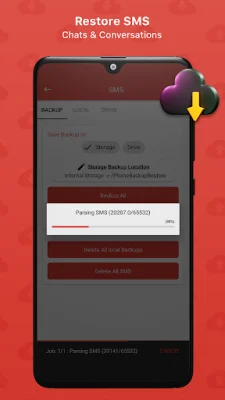

Latest Version
2.0.0
October 09, 2024
Firehawk
Tools
Android
0
$8.99
com.phone.backup.restore.pro
Report a Problem
More About Phone Backup and Restore Pro
This application is designed to help users backup and restore their data in case of a factory reset or switching to a new phone. It is important to upload backup files to cloud storage so that they can be used for data recovery in the future. The app only backs up APKs to protect privacy and security, not personal data and app settings. It is recommended to use this app for all data backups.
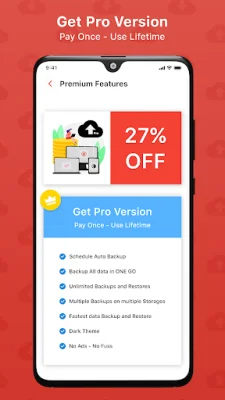
The Pro version of the app offers additional features such as scheduling automatic backups, unlimited backups and restores, and the ability to backup to internal storage, SD card, and GDrive. The backup and restore process is lightning fast and can be done in multiple locations simultaneously. The Pro version also includes a dark theme and is ad-free.
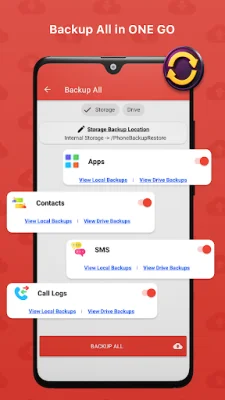
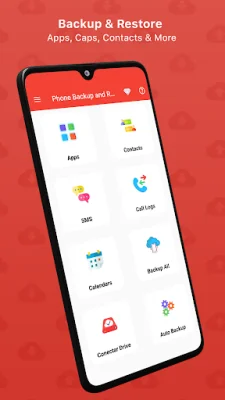
One of the key features of this app is its ability to clone a phone and transfer data between smartphones. Users can backup their data on their old phone, upload it to the cloud, and then restore it on their new phone. The app also allows for contacts, SMS, call logs, calendar events, and apps to be backed up and restored.
Contacts can be backed up to both local storage and the cloud, and users can choose to restore from either location. The app can backup just phone numbers or more detailed information such as addresses and emails. SMS and conversations can also be backed up and restored, with a progress bar showing the number of messages and conversations being backed up.
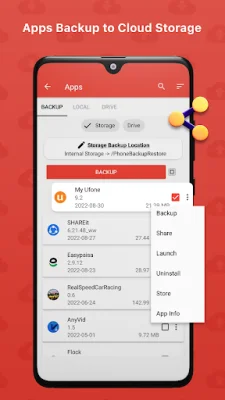
Apps can be backed up as APK files to both local storage and the cloud. When restoring apps, the app will automatically reinstall all selected apps. Users can also check the size of apps, share APKs with friends, uninstall apps, launch apps, backup apps, and view app information. The app also allows for the backup and restoration of calendar events and call logs.
Rate the App















Popular Apps









