

Ping Master: Network Tools PRO
2.5.0-Pro by AppPlanex (0 Reviews) August 26, 2024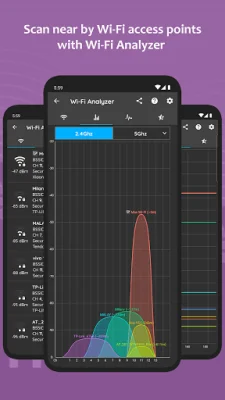
Latest Version
2.5.0-Pro
August 26, 2024
AppPlanex
Tools
Android
0
$6.49
com.appplanex.pingmasternetworktools.pro
Report a Problem
More About Ping Master: Network Tools PRO
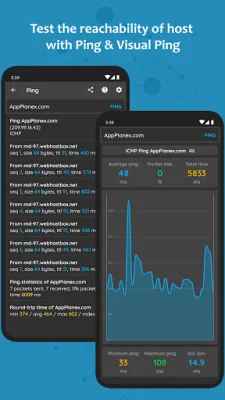
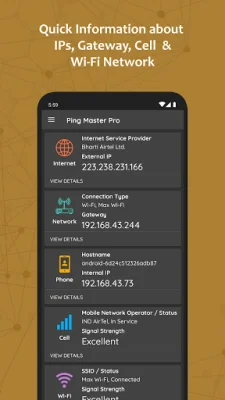
Ping Master: Network Tools PRO is a comprehensive application that offers a variety of tools and utilities for managing and troubleshooting network connections. With this app, users can quickly access information about their network IP's, gateway, and cell and wifi networks. The app also includes ping tools that allow users to measure the response time of a host using ICMP, TCP, HTTP, and HTTPS protocols. Additionally, users can view real-time graphs of continuous pings to a given host with the visual ping tool.
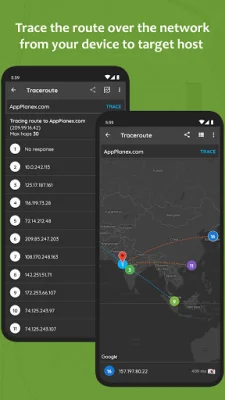
One of the standout features of Ping Master is its ability to provide detailed information about a domain or IP address, such as the owner and date of registration, using the Whois tool. The app also offers a traceroute feature that allows users to track the path taken by a packet over the IP network from their device to a target host. This feature also displays the hops on a map, providing a visual representation of the network route.
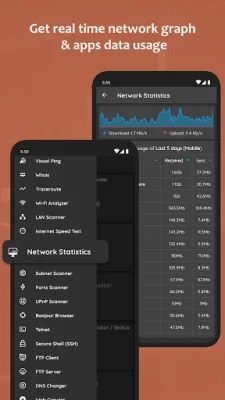
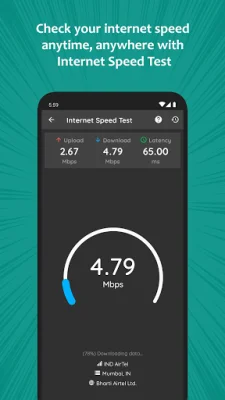
Ping Master also includes a WiFi analyzer that scans for access points near the user and provides detailed information about them, including real-time channel graphs, time graphs, and channel ratings. Users can also scan for all devices connected to the same network through WiFi or hotspot. The app also offers an internet speed test and real-time network data usage graph, allowing users to monitor their network usage and track data usage by each app.
In addition to these features, Ping Master also includes tools for managing telnet and SSH connections, transferring files between a phone and FTP server, and changing a device's DNS address. The app also offers the ability to identify hyperlinks and pages of a given website or URL, query the domain name system for DNS records, and parse DMARC records for validation. Users can also check the propagation of their domain's DNS records with multiple DNS servers around the world.
Other useful features of Ping Master include the ability to turn on a remote computer with a network message using Wake on LAN, get geolocation information about any IP address or host, and convert hostnames to IP addresses and vice versa. The app also includes an IP calculator for splitting networks into subnetworks, as well as tools for encoding and decoding URLs, base64 text, and text to hexadecimal form. Users can also generate random passwords, UUIDs, and hashes with the app.
Lastly, Ping Master offers a backup and restore feature for users to save their searched or queried data. It's important to note that the DNS changer feature of this app uses a VPN service to only set up a local VPN interface for changing DNS server addresses. This means that users' network traffic will not be sent to a remote VPN server. If users have any questions, queries, or suggestions about the app, they can contact the support team at [email protected].
Rate the App















Popular Apps









