

Pingmon - network ping monitor
5.2.1 by mishuto (0 Reviews) September 01, 2024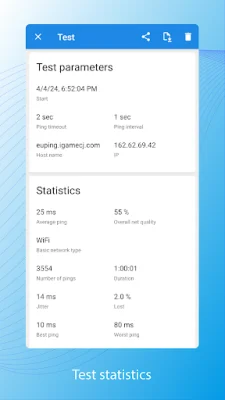

Latest Version
5.2.1
September 01, 2024
mishuto
Tools
Android
0
Free
com.mishuto.pingtest
Report a Problem
More About Pingmon - network ping monitor
The ping monitor application is useful for detecting unstable internet connections or intermittent issues with internet quality. It can be used to quickly determine if the problem is on the user's end or with their internet service provider when experiencing issues with video conferencing or streaming.
When experiencing lag or interruptions in online games or video streaming, it can be difficult to convince technical support that there is a problem with the network. Traditional internet speed tests may not accurately reflect the quality of the connection over an extended period of time. With this network test, users can gather data and statistics to provide to support for a more comprehensive analysis. All tests are saved and can be accessed at any time.
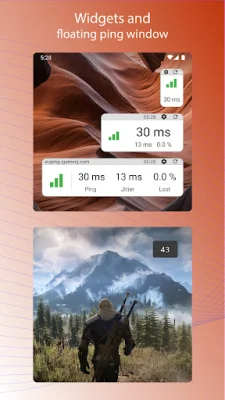
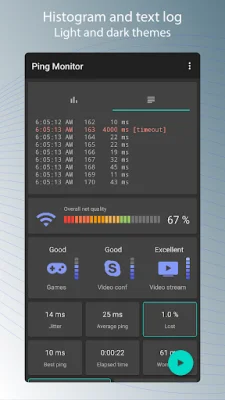
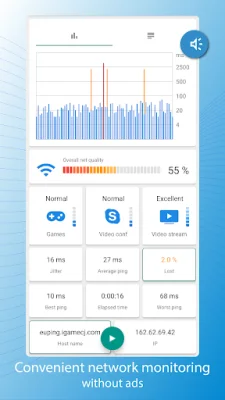
Pingmon also allows users to check the stability of their connection to critical network resources, such as game servers. By calculating parameters like ping latency, jitter, and lost packets, the app can determine if a server is suitable for a smooth gaming experience. The floating ping window can even be displayed over the game for convenience. Additionally, the app offers a graphical network test that displays real-time statistics and estimates the connection quality for different activities like gaming, internet telephony, and video streaming.
The app can be used with various types of networks, including WiFi, 4G, LAN, and the internet. It is free to use and does not contain any ads. Users can also install a desktop widget to regularly monitor a server node and adjust the size of the widget to display the desired amount of information.
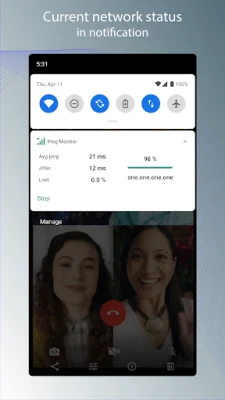
It is important to note that this ping monitoring app does not replace programs for checking network bandwidth, but can be used in conjunction with them for a more comprehensive assessment of network quality. The app may require certain permissions, such as managing calls and using a foreground service, in order to display network type and perform background monitoring. However, users can reject these permissions and still use the app, although some features may be limited.
Overall, Pingmon is a useful and user-friendly tool for monitoring network quality and identifying potential issues. It can be especially helpful for troubleshooting internet problems and providing evidence to support technical support claims.
Rate the App















Popular Apps









