

PingTools Pro
4.66 Pro by StreamSoft (0 Reviews) August 25, 2024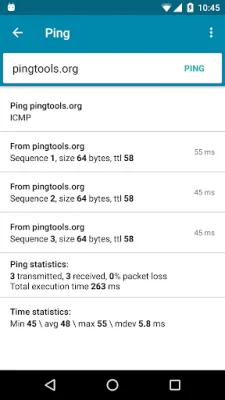
Latest Version
4.66 Pro
August 25, 2024
StreamSoft
Tools
Android
0
$2.99
ua.com.streamsoft.pingtoolspro
Report a Problem
More About PingTools Pro
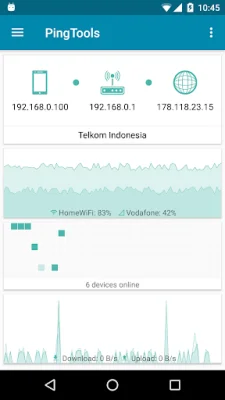
PingTools Pro is a comprehensive network utility application that provides users with a variety of tools to monitor and manage their network connections. With this app, users can easily view their network connection status, IP address of their Wi-Fi router, external IP address, and information about their ISP. The Info screen also displays useful charts of Wi-Fi connection and network usage, allowing users to track their network performance.
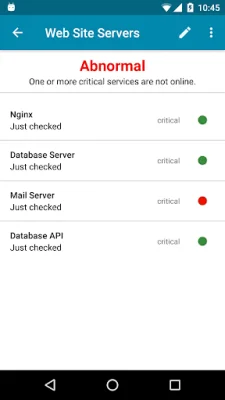
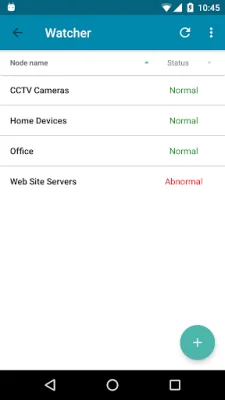
The Watcher feature allows users to schedule checks on their network resources and receive notifications if there are any changes. This ensures that users are always aware of any problems with their network and can take immediate action.
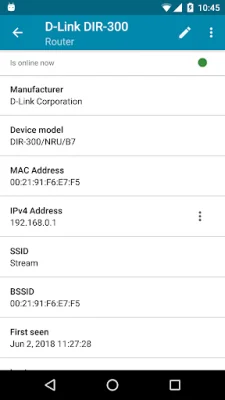
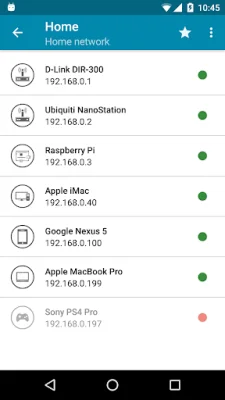
The Local-Area Network feature allows users to scan for other network devices and identify who is connected to their network. It also provides information about the hardware manufacturer and services running on these devices, giving users a comprehensive understanding of their network.
The Ping tool is a standard feature that allows users to check the availability of a remote host. It also offers additional features such as TCP and HTTP/HTTPS ping, background work, and sound notifications, making it easy for users to monitor the state of their remote host without being distracted.
The GeoPing feature allows users to check the availability of a resource from different locations around the world. This is especially useful for website owners who want to ensure their site is accessible from different regions.
The Traceroute tool is essential for system administrators as it shows the route of data packets from a device to a target host. The Visual Traceroute feature uses a map to display the path of the data packages around the world, providing users with a visual representation of their network.
The iPerf tool is a utility for analyzing network bandwidth and supports both server and client mode. The Port Scanner feature is a powerful multi-threaded TCP ports scanner that allows users to get a list of open ports on a remote device. It also displays a description of most ports, making it easier for users to identify which application is using it.
The Whois tool displays information about a domain or IP address, including the date of registration, organization, and contact information. The UPnP scanner shows UPnP devices on the local network, including routers, game consoles, media servers, and more. The Bonjour browser is a network utility for exploring Bonjour services on the network, which is especially useful for Apple users.
The Wi-Fi scanner provides users with a list of access points around them, along with information about the manufacturer, signal level, and more. The Subnet scanner allows users to scan their Wi-Fi subnet to find other hosts and services within their network. The DNS Lookup tool is useful for network troubleshooting and finding the IP address of a domain or mail server.
The Wake on LAN feature allows users to turn on a network computer remotely by sending a special data packet. This is particularly useful when users do not have physical access to the computer. Lastly, the IP Calculator helps users calculate network parameters and determine IP address ranges and subnet masks, making it a valuable tool for setting up network equipment.
PingTools Pro has been recognized as the "App of the Day" by MyAppFree, showcasing its excellence and usefulness in managing and monitoring network connections. With its wide range of features and user-friendly interface, PingTools Pro is a must-have for anyone looking to optimize their network performance.
Rate the App















Popular Apps









