Remote App - Mouse, Keyboard
1.0.8 by Adarsh Urs (0 Reviews) August 29, 2024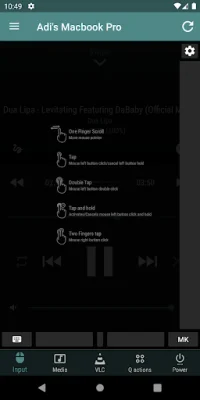
Latest Version
1.0.8
August 29, 2024
Adarsh Urs
Tools
Android
0
Free
com.leanstring.remoteapp
Report a Problem
More About Remote App - Mouse, Keyboard
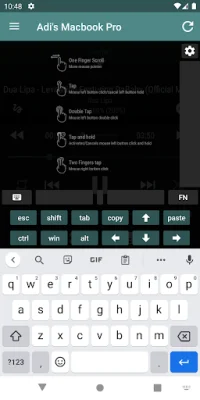
This application offers a convenient and easy way to control your computer from a distance. With its effortless setup, the app automatically detects servers, making it quick and simple to get started. It also offers multi-functionality, allowing you to emulate a mouse and keyboard, control media, manage files, and more. The app prioritizes your privacy with secure connection features such as server password protection and encryption. It is also compatible with both Windows and Mac computers, making it accessible to a wide range of users.
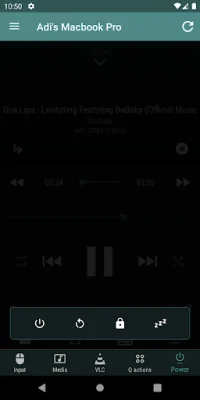
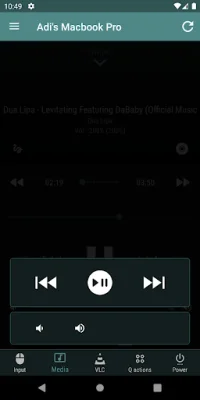
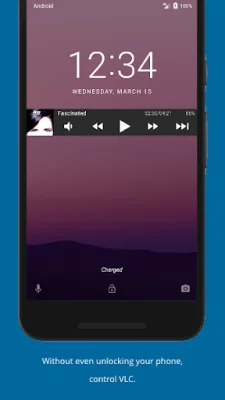
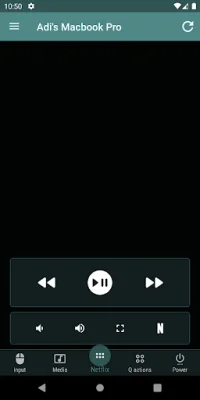
One of the standout features of this app is its specialty controls. It offers a media remote, allowing you to manage media players like VLC, Spotify, and iTunes. It also has a presentation remote, making it easy to control PowerPoint, Keynote, and Google Slides. Additionally, the app offers a web browsing remote, allowing you to switch tabs and control browsers like Chrome and Firefox. It even has power management capabilities, allowing you to remotely shut down, restart, or sleep your computer.
For those looking for more advanced features, this app has you covered. It offers Android Wear integration, allowing you to control your computer from your smartwatch. This adds an extra level of convenience for users who want to control their computer on the go.
The user-friendly interface of this app is designed for intuitive use. It also offers customizable themes, making it easy to personalize the app to your liking. Whether you want to control your computer for watching movies, playing music, or delivering presentations, this app is ideal for anyone looking to control their computer from a distance.
To get started, simply download and install the server from the official website. Then, connect via Wi-Fi and start controlling your computer remotely. With millions of satisfied users, this app has revolutionized the way people interact with their computers. Join them and experience the convenience and ease of controlling your computer from a distance.
Rate the App














Popular Apps









