
Remote - Control for TV
1.1.2 by Joyetv (0 Reviews) September 04, 2024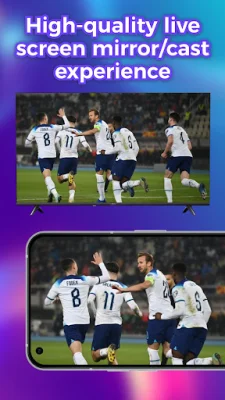

Latest Version
1.1.2
September 04, 2024
Joyetv
Tools
Android
0
Free
com.joye.tv.remote
Report a Problem
More About Remote - Control for TV
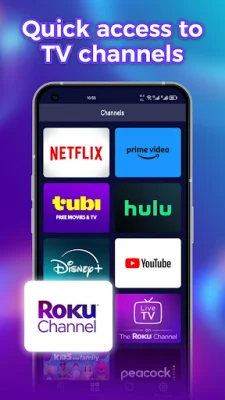
Roku is a popular streaming device that allows you to access a wide range of entertainment options on your TV. With the Remote Control for Roku app, you can use your phone as a remote to navigate the Roku TV interface. This means you no longer have to search for your physical remote or worry about it running out of batteries. The app offers a convenient and easy way to control your TV device from your mobile device.
The app offers multiple functions that allow you to perform various operations on your TV. You can use your phone to play, pause, adjust progress, and adjust volume, among other things. This makes it easier to control your TV without having to constantly switch between different remotes or get up from your seat.
In addition to controlling your Roku TV, the app also allows you to control other Google devices, such as Google Chromecast. This means you can easily switch between different devices without having to use multiple remotes. The app also offers an infrared remote feature that allows you to customize buttons to perform specific functions tailored to your needs.
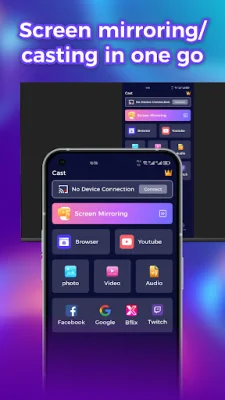
The app also offers casting features that allow you to cast local media, such as photos, videos, and audio files, from your mobile device to your TV or compatible devices. You can also stream media directly from your browser to your TV for a seamless viewing experience. Additionally, the app offers a screen mirroring feature that allows you to mirror your mobile device's screen to your TV or other compatible devices. This is perfect for presentations, gaming, or sharing content with a larger audience.
The setup process for the app is easy and straightforward. Simply connect your big screen device to the app and start enjoying the convenience of controlling your TV device with ease. With this app, you not only get a convenient remote control but also access to a world of entertainment and streaming options. So why wait? Download the app today and start exploring to enhance your big screen entertainment streaming experience!
Rate the App















Popular Apps









