Remote for Hisense Smart TV
by S3 solution (0 Reviews) May 04, 2026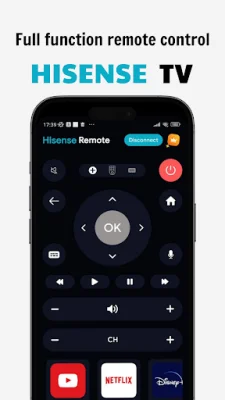
Latest Version
May 04, 2026
S3 solution
Tools
Android
0
Free
com.hisense.remote.universal.remote.hisensesmarttv
Report a Problem
More About Remote for Hisense Smart TV
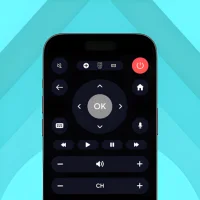
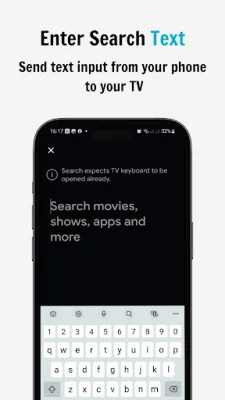
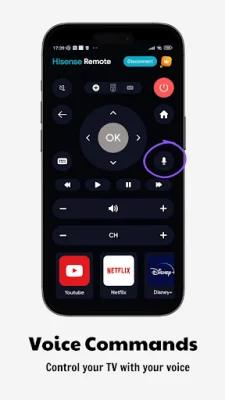
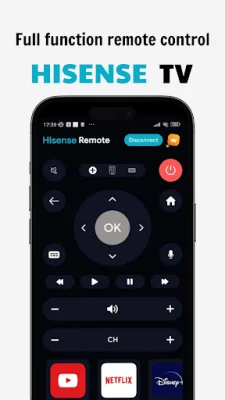
This application is designed to provide a full-function remote control for Hisense TVs with simple and easy operation. With this app, you can control your Hisense TV without the need for a physical remote. The main functions of this app include turning the TV on and off, setting an automatic TV off timer, adjusting the volume, changing channels, and navigating the TV mouse. Additionally, the app also has a keyboard feature that allows for simple text input and search capabilities.
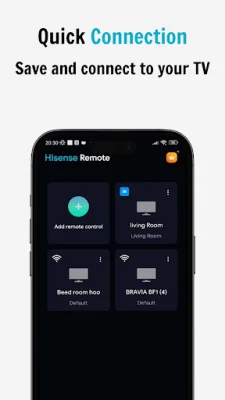
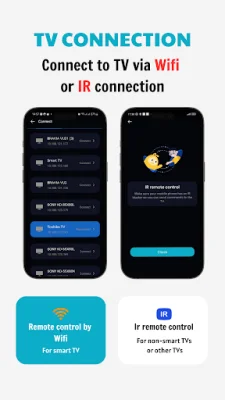
In order to use this app, you must ensure that your WiFi is turned on. Once your WiFi is on, you can connect your TV and mobile device via WiFi. After the connection is established, you can pair your phone with your Hisense smart TV. Once paired, you can tap the button to select the remote controller and begin using your phone as a remote control for your Hisense TV.
It is important to note that this application is not an official Hisense application and is not affiliated with Hisense Electronics in any way. This app is designed to provide a convenient and user-friendly way to control your Hisense TV, but it is not endorsed or supported by the company.
In summary, this application offers a convenient and easy way to control your Hisense TV without the need for a physical remote. With features such as a keyboard for text input and quick access to favorite channels and apps, this app aims to enhance the user experience of using a Hisense TV. Just make sure your WiFi is on, connect your TV and mobile device, and enjoy using your phone as a remote control for your Hisense smart TV.
Rate the App










Popular Apps









