

Simple FTP Server
by Rafał Frączek (0 Reviews) May 04, 2026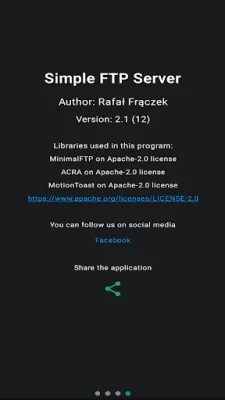
Latest Version
May 04, 2026
Rafał Frączek
Tools
Android
0
Free
com.simpleftpserver
Report a Problem
More About Simple FTP Server
This application is a free and user-friendly FTP server that allows for efficient file sharing over multiple network interfaces. It supports simultaneous transfers and is compatible with various FTP clients on Windows, Mac, Linux, and browsers. The app is privacy-focused, with no ads or user tracking, ensuring a clean and secure experience for users.
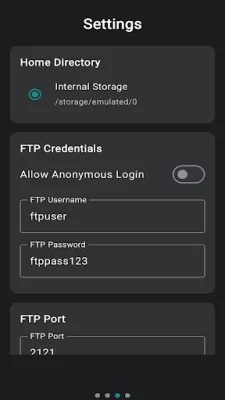
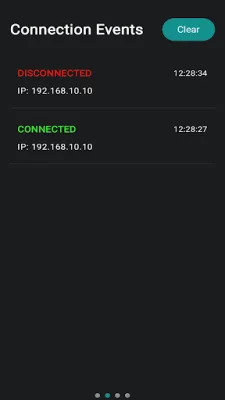
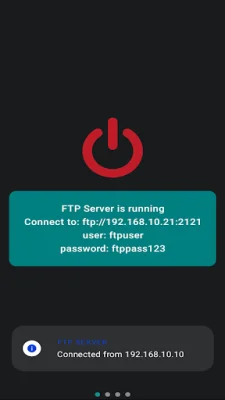
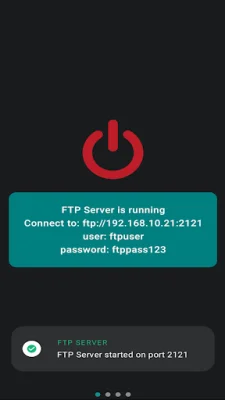
The home screen of the app allows users to start or stop the server and view connection details, such as IP address and port. The client monitor feature tracks active client connections in real-time. Users can also customize the home directory, server port, and manage user credentials in the settings section. The about section provides access to app information and support contact details.
Popular FTP clients such as FileZilla, Windows Explorer, Finder, Linux File Managers, Total Commander, and web browsers like Chrome, Firefox, and Edge (in read-only mode) can connect to the FTP server. However, users should note that the app may not function correctly if Doze Mode is enabled. To ensure optimal performance, it is recommended to add the app to the Doze Mode whitelist in the device's settings. Additionally, users must grant the MANAGE_EXTERNAL_STORAGE permission for the app to access and manage files, and the app requires INTERNET, ACCESS_NETWORK_STATE, and ACCESS_WIFI_STATE permissions for network connectivity.
The app supports both anonymous and user-authenticated logins, with password-protected access for enhanced security. It is also energy-efficient, reducing reliance on physical USB ports, making it ideal for on-the-go file sharing during travel or remote work. Users can also customize server settings like port number and home directory to suit their needs.
For any assistance, feature requests, or feedback, users can contact the support team at [email protected]. The team is committed to improving the user experience with this FTP Server application. Overall, this application offers a versatile, user-friendly, and secure way to share files over multiple networks, making it a valuable tool for individuals and businesses alike.
Rate the App














Popular Apps









