

Screen Mirroring & Cast to TV
1.2.2 by Vimnicast (0 Reviews) October 30, 2025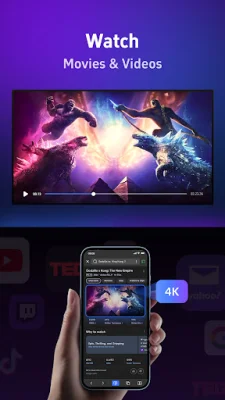
Latest Version
1.2.2
October 30, 2025
Vimnicast
Tools
Android
0
Free
com.vimni.cast
Report a Problem
More About Screen Mirroring & Cast to TV
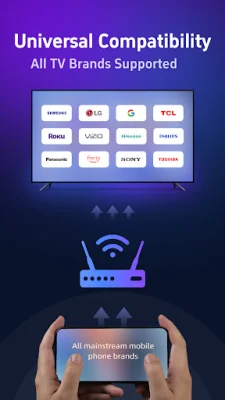
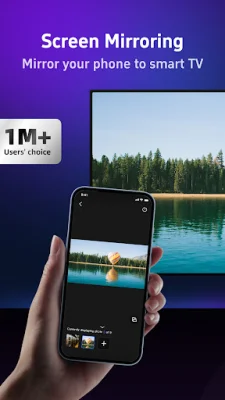
Vimnicast is an application that allows you to easily and quickly cast your phone or computer screen to your TV. It supports a wide range of smart TVs, including Samsung, LG, Roku TV, Vizio, Hisense, Sony, TCL, Xiaomi, and Amazon FireTV. With vimnicast, you can enjoy a seamless and high-definition screen mirroring experience without any compatibility issues or hardware limitations.
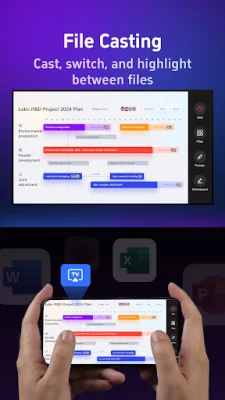
In addition to screen mirroring, vimnicast also offers interactive file casting, making it perfect for work and collaboration. You can easily cast and switch between multiple documents, such as PDFs and Word files, and use on-screen tools like a pen or laser pointer to annotate and highlight key points during presentations. The real-time file switching feature allows for a smooth and efficient workflow.
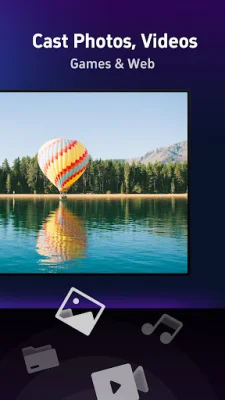
Vimnicast also enhances photo casting with its virtual screen support. This means you can cast your photo albums to the TV while still using your phone for other tasks without any interruptions. You can also browse images on your phone while maintaining smooth playback on the TV.
Privacy and security are important when it comes to casting, and vimnicast ensures that you can cast with confidence. The app offers a privacy mode where you can share specific content without worrying about other files or photos being seen. It also supports a broad range of TV platforms, including Samsung Tizen, LG WebOS, and others, making it compatible with most smart TVs. Additionally, vimnicast allows for cross-platform casting, so you can easily mirror your Android phone screen to your Apple device using Airplay.
To use vimnicast, simply connect your TV and phone or streaming device to the same WiFi network, open the app, and select the desired TV from the list. Then, choose the feature you want to use and follow the instructions. It's that easy! Just make sure to turn off any VPN or proxies on your phone before using the app.
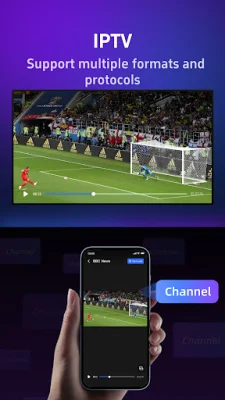
Vimnicast offers a variety of features, including screen mirroring, HD quality visuals, virtual screen support, file sharing with innovative tools, and web casting for streaming social media apps or web-based HD videos on your TV. It's suitable for both personal entertainment and work collaborations, such as presentations.
If you choose to subscribe to vimnicast, payment will be charged to your Google ID account at the time of purchase confirmation. Subscriptions automatically renew unless canceled at least 24 hours before the end of the current period. You can manage and cancel your subscriptions through your Google ID account under Payments & Subscriptions in the Google Play Store.
For more information, you can refer to vimnicast's privacy policy and terms of use, which can be found on their website. If you need support, you can contact them at [email protected]. They strive to provide original and SEO-oriented support to their users. With vimnicast, you can easily and securely cast your phone or computer screen to your TV for a seamless and high-quality viewing experience.
Rate the App







Popular Apps









