
SD Card Test Pro
2.2 by Zoltán Pallagi (0 Reviews) October 24, 2024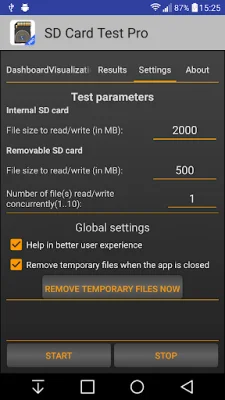
Latest Version
2.2
October 24, 2024
Zoltán Pallagi
Tools
Android
0
$2.99
com.pzolee.sdcardtesterpro
Report a Problem
More About SD Card Test Pro
This application is designed to be user-friendly and accessible for people of all skill levels, including beginners. It allows for quick and easy testing of storage devices.
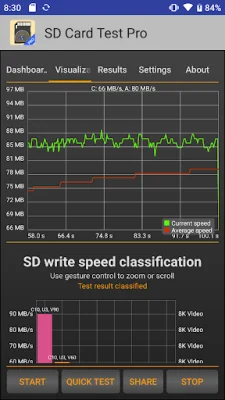
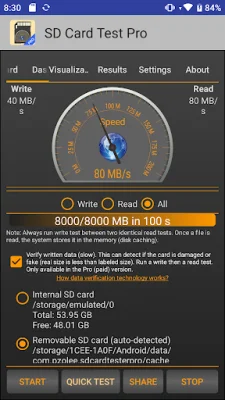
The app has several highlighted features, including the ability to measure the speed of both external (removable) SD cards and internal storage. It also has the capability to verify written data, detect damaged or fake cards, and perform read/write tests using various combinations. Users can also customize their benchmarks and view details about their storage, such as type and class.
The app supports a wide range of memory cards, including Micro SD, SDHC, and SDXC, as well as built-in memory cards. It is important to note that if the SD card is formatted as adoptable storage, the app may not be able to access it directly. In this case, users can either move the app to the adoptable storage or format the storage as portable storage.
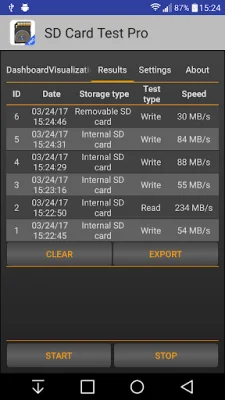
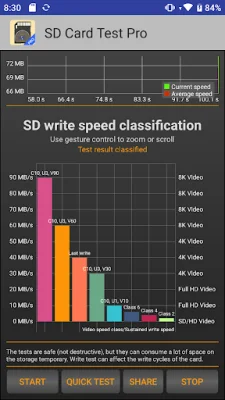
To use the app, users first select the type of storage they want to test, either internal or external. If the app is unable to detect any SD card, users can still manually browse it if one is present in the device. Next, users can choose between a write or read test, with the recommendation to always run a write test first. The app displays the speed on a speedometer in the Dashboard tab and provides more detailed information on the Visualization and Results tabs.
For professional users, the app offers the ability to adjust the size and number of files used in the test. It is important to note that if the SD card uses a FAT/FAT32 file system, the maximum file size is 4 GB, and users should use more files instead of increasing the size. If larger files are desired, the SD card can be formatted to exFAT. Additionally, the app requires a minimum of 4 GB of read or written data and 10 seconds of run time for accurate results. Users can easily share their results with a one-button method.
Rate the App















Popular Apps









