

Share via HTTP - File Transfer
2.0.15 by Marcos Diez (0 Reviews) September 28, 2024
Latest Version
2.0.15
September 28, 2024
Marcos Diez
Tools
Android
0
Free
com.MarcosDiez.shareviahttp
Report a Problem
More About Share via HTTP - File Transfer
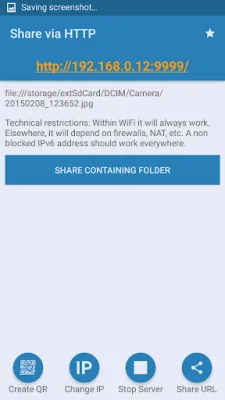
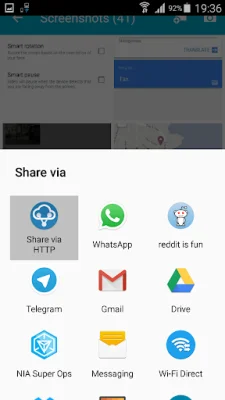
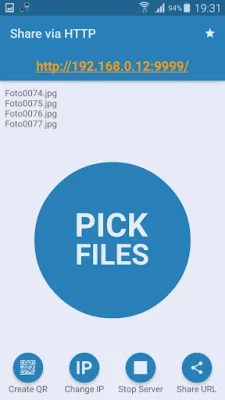
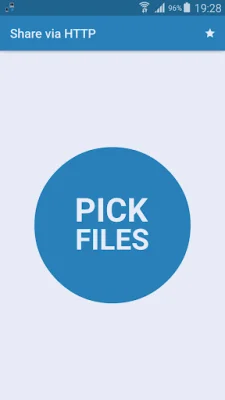
This application allows users to easily share one or more files by opening an HTTP server. This server can be accessed by anyone, allowing them to download the shared file. Additionally, users can share files directly from any Android app by clicking on the "share" option and selecting "Share via HTTP". The link to access the shared file will always be the user's phone's IP address on port 9999, for example: http://10.1.1.100:9999/.
When sharing just one file, the link will transfer the file itself. However, if multiple files are selected, a ZIP file containing all of the chosen files will be generated on the fly. This means that users will not have to wait for the files to be transferred and no space on their device will be used. Additionally, if a contact is shared, a vCard will be generated on the fly.
After sharing a file through any program, users can later click on the "Share Containing Folder" option to share the entire folder in which the file is located. This feature is only available for supported file URIs. It is also possible for multiple users to download files simultaneously.
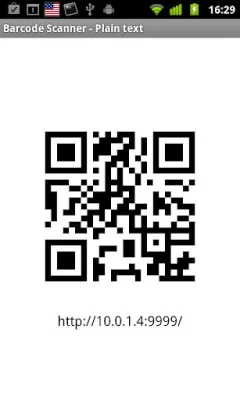
For users with a Barcode Scanner, a QR code of the URL will be generated for easy access to the shared file. This app is open source and the source code and APK can be found on GitHub at https://github.com/marcosdiez/shareviahttp. It is also possible to share apps using this software when used in conjunction with AppSender (https://play.google.com/store/apps/details?id=com.genmy5han.appsender).
The user interface for this app was designed by Stefan M. and is both visually appealing and SEO-oriented. This app provides a convenient and efficient way for users to share files with others, making it a valuable tool for anyone who needs to transfer files quickly and easily.
Rate the App















Popular Apps









