
Shortcutter Quick Settings
7.8.0 by LeeDrOiD Apps (0 Reviews) September 03, 2024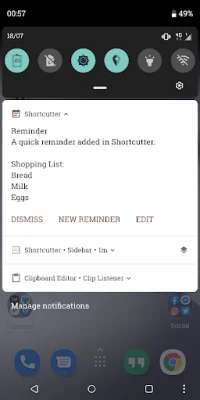
Latest Version
7.8.0
September 03, 2024
LeeDrOiD Apps
Tools
Android
0
Free
com.leedroid.shortcutter
Report a Problem
More About Shortcutter Quick Settings
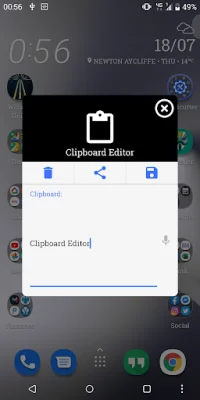
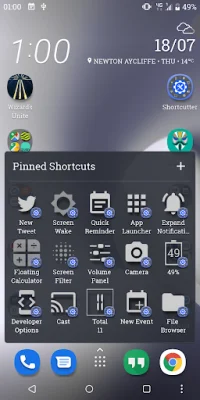
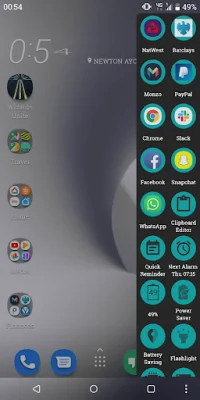
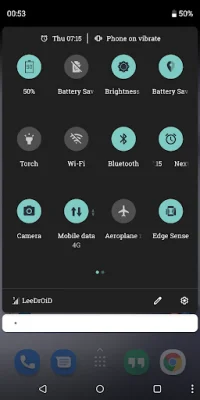
This application is a convenient and free tool that offers a variety of shortcuts for your device. It is constantly being updated and improved, and offers additional features for a small cost. You can access these shortcuts from your home screen launcher, the system quick settings pull-down, or through the Shortcutter always on top Side Bar/Launcher. There is also a widget available for easy access to the shortcuts.
There are over 100 shortcuts available, including custom tiles that allow you to directly access apps, activities, system shortcuts, and more. You can also create your own theme, layout, and design for a personalized experience.
The system quick settings pull-down tiles offer even more options for the standard user, with additional tiles available for advanced users with secure access. There are also root tiles available for those who have rooted their device.
The Shortcutter Exposed Launcher Shortcuts allow you to toggle settings and services from various places on your device, such as the app drawer, home screen, and even Tasker. Some of the shortcuts may require elevated permissions, such as admin access for screen lock or accessibility for secure activity detection.
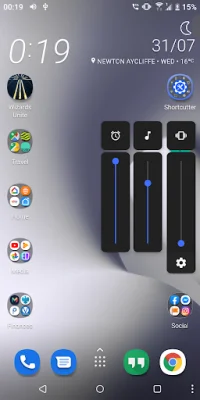
There is a wide range of shortcuts available, including options for auto sync, Bluetooth, battery percentage, screen cast, flashlight, file browser, and more. You can also customize your volume panel, add a shortcut to any application or activity, and even assign shell commands. For those with root access, there are even more options available, such as advanced power menu and mobile network mode. You can also add an extra layer of security by replacing your existing tiles with Shortcutter tiles and enabling the Lock Shortcutter Pull-Down Tiles option. Keep in mind that some functionality may be impacted by manufacturer changes, so it's best to be original and SEO-oriented when using this app.
Rate the App















Popular Apps









