

Tapping Click - Auto Clicker
1.0 by Wang Wei Developers (0 Reviews) October 08, 2024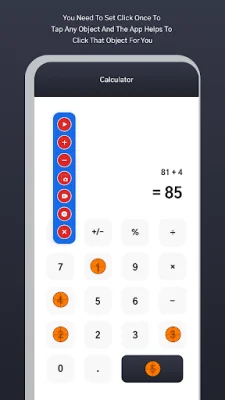


Latest Version
1.0
October 08, 2024
Wang Wei Developers
Tools
Android
0
Free
wangwei.tappingclicker.autotapperclick.developers
Report a Problem
More About Tapping Click - Auto Clicker
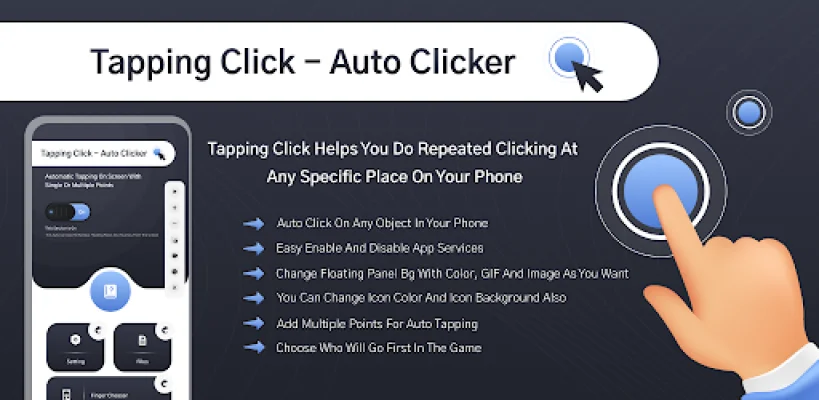
This application allows users to easily win games by automatically clicking on any object on their phone. It eliminates the need for users to constantly tap on an object to win the game, as it will continuously click on the object for them. The app also offers customizable floating panels that allow for multiple clicking points and swipes on the phone's screen.
The Auto Clicker app is designed to make repetitive clicking tasks easier for users. It offers a customizable floating panel that can be used for auto clicking on any object on the phone. This eliminates the need for users to tap on one place repeatedly, as they can now add multiple points on the screen for auto tapping. The app also allows for numerous swipes and clicks using the floating panel.
The customizable floating panel style of the app allows users to use it in a way that best suits their needs. It also offers features such as click frequency for time intervals, vertical or horizontal placement of the floating panel, and the ability to change the size and color of the panel. Users can also add a screenshot and screen recording button to the floating panel for easy access.
The app also offers a variety of options for customizing the floating panel, including changing the background color, using solid or gradient colors, adding background photos or GIFs, and changing the color of the panel's icon. Users can also choose from different floating panel pointers and change the color of the pointer and its text.
In order to function properly, the app requires certain permissions from the user. This includes using the AccessibilityService API, which allows the app to simulate clicks, swipes, and other gestures on the screen. This is necessary for the app to perform its core features, such as auto clicking and taking screenshots. However, the app does not collect or share any private information through this API and maintains user privacy.
Rate the App














Popular Apps









