

TypingTalk AAC Text-to-Speech
1.9.4 by Miya Nour (0 Reviews) November 12, 2025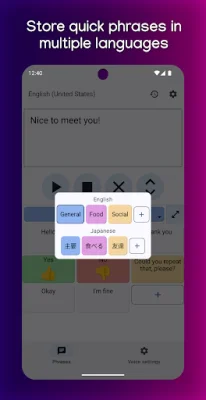
Latest Version
1.9.4
November 12, 2025
Miya Nour
Tools
Android
0
Free
com.miyanour.speechassist
Report a Problem
More About TypingTalk AAC Text-to-Speech
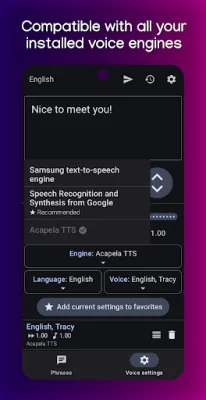
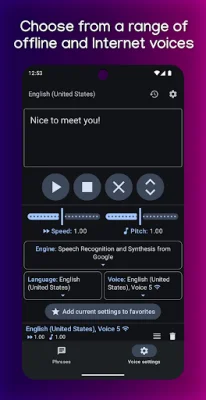
Voices is a versatile and user-friendly application that allows you to customize your device's text-to-speech (TTS) engine to fit your specific needs. With a wide selection of voice styles and languages to choose from, you can easily find the perfect voice for your preferences. You can also choose between offline voices and Internet-powered voices, which offer a more natural and realistic sound. Plus, you can save your favorite voice settings for easy access in the future.
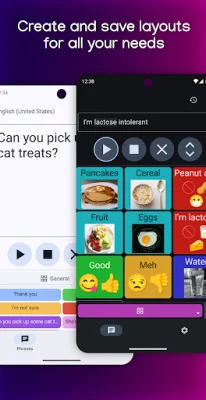
Phrases is another useful feature of this app, allowing you to save and categorize frequently used phrases for quick playback with just a tap. You can even rearrange and color code your phrases for better organization. The app also allows you to create separate groups of phrases for each language you use, and you can add pictures, emoji labels, and alternate text to your phrases for a more personalized experience. You can also choose to display text above or below pictures for added clarity.
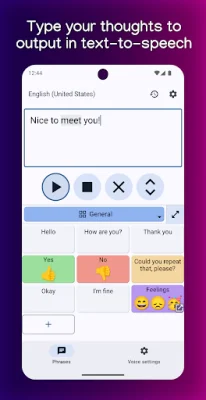
In addition to these features, Voices also offers a convenient way to save and share your phrases with others. You can save your phrases to a file for backup or sharing, and importing a file will automatically update any matching phrases. The app also includes a home screen widget for quick access, and you can speak individual words or sentences as you type them. Plus, the text field will automatically clear after pressing play for a smoother experience.
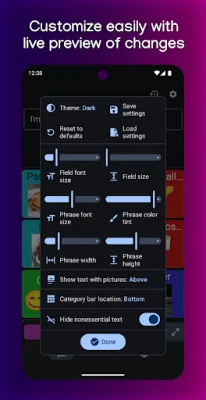
For further customization, you can adjust the font size, text field size, button size, and more to your liking. You can even save and load your preferred layouts for easy access. The app also keeps a history of messages you've played while using it, and the layout automatically adapts to all screen sizes for a seamless experience. With a convenient design that requires just a few taps for any action, this app is perfect for anyone who needs help speaking, including those with conditions such as verbal apraxia, aphasia, autism, anxiety, and selective mutism.
But this app isn't just for those with speech difficulties. It can also be useful for anyone who has temporarily lost their voice or simply wants to play with text-to-speech technology. The app is constantly evolving and improving, and the developer welcomes feedback on how to make it more accessible and user-friendly. So whether you're looking for a practical tool or just want to have some fun with TTS, Voices is the perfect app for you. Made with love by an AAC user with selective mutism, this app is sure to make a positive impact on your communication abilities.
Rate the App














Popular Apps









