
Universal TV Remote Control
1.16 by Video downloader for all (0 Reviews) October 30, 2025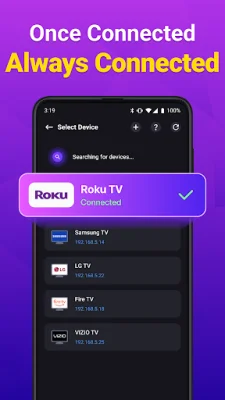
Latest Version
1.16
October 30, 2025
Video downloader for all
Tools
Android
0
Free
roku.remote.control.tv.remotecontrol
Report a Problem
More About Universal TV Remote Control
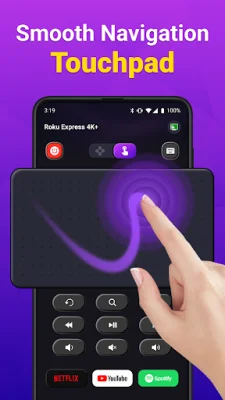
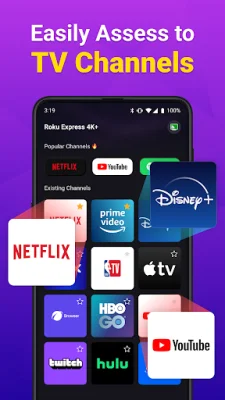
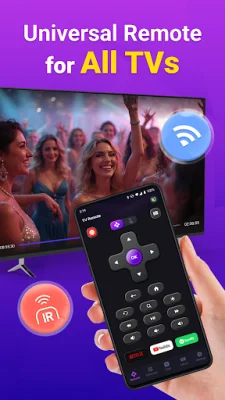
The Universal TV Remote Control app is a convenient and easy-to-use tool that allows you to control your TV from your phone. With this app, you can easily find and connect to all TVs on your Wi-Fi network, making setup a breeze. The app offers fast TV control, with options for voice commands and on/off functions. It also features a touch pad for simple and universal TV control.
One of the standout features of this app is its keyboard function, which allows you to quickly type and search for shows on your TV. This is especially useful for devices like Roku, where searching for content can be time-consuming with a traditional remote. Additionally, you can use your phone to turn your TV on and off, making for a seamless and enjoyable TV viewing experience.
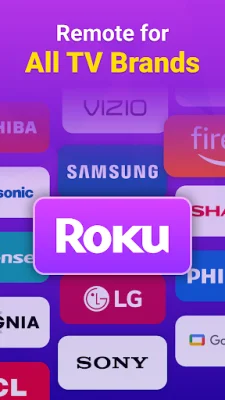
The Universal TV Remote Control app is compatible with a variety of TV brands, including Fire TV, Samsung, Roku, TCL, LG, Vizio, and Hisense. Simply download the app and select your TV brand to connect it to your phone. This makes it a versatile option for households with multiple TV brands, eliminating the need for multiple remotes.
One of the biggest advantages of using this app is that it eliminates common remote problems, such as losing the remote or dealing with dead batteries. With the Universal TV Remote Control app, your phone becomes an all-in-one remote, making it a convenient and practical solution for everyday use.
If you encounter any issues with the app, there are troubleshooting steps you can take. Make sure your phone and TV are on the same Wi-Fi network, and if you experience connection problems, try reinstalling the app and restarting your TV. It's also important to note that this app is not linked to any specific TV brand, making it a universal solution for all Smart TVs.
Rate the App








Popular Apps









