Universal TV Remote for All TV
by Tool Crafters (0 Reviews) December 14, 2025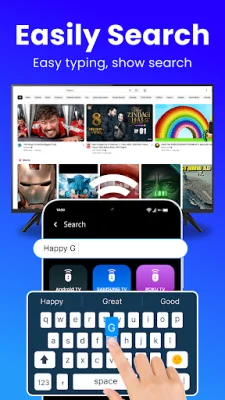
Latest Version
December 14, 2025
Tool Crafters
Tools
Android
0
Free
com.universal.tv.remote.all.smart.device
Report a Problem
More About Universal TV Remote for All TV
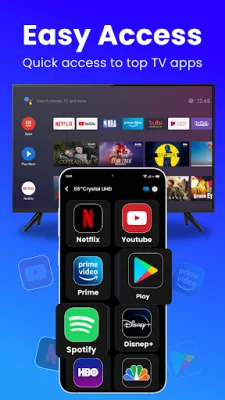
This application is a universal remote app that allows you to control your smart TV with your phone or tablet. It has several key features that make it convenient and easy to use. One of the main features is the auto scan function, which instantly detects all smart TVs connected to your WiFi network. This eliminates the need for manual setup and makes it easy to switch between different TVs in your home.
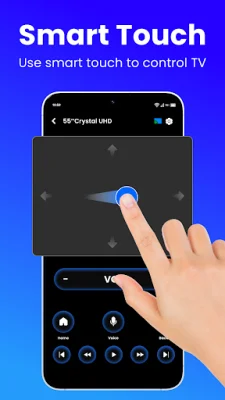
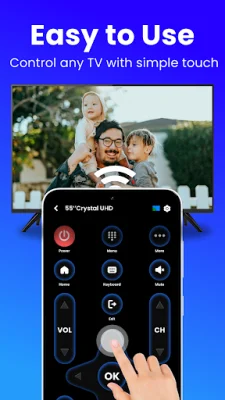
The app also offers effortless control, allowing you to adjust volume, switch channels, and rewind or fast-forward with ease. The smart touchpad feature enables you to navigate your TV quickly and efficiently using responsive gestures. Additionally, the fast typing and search function allows you to enter text easily and search for shows or movies quickly.
Another useful feature is the power control, which allows you to turn your TV on or off right from your phone or tablet. This eliminates the need for multiple remotes and makes it more convenient to control your TV. The app also offers media casting, allowing you to cast photos and videos from your device to your TV screen. And with screen mirroring, you can share your phone's screen with your TV in real-time with minimal delay.
To get started, all you need to do is install the Universal Remote App on your device. Then, choose your TV brand or streaming device from the list provided (such as Firestick, Samsung, Roku, TCL, LG, etc.). Once connected to your Smart TV through the app, you can enjoy seamless control with your virtual TV remote.
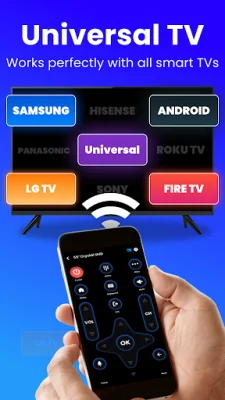
This app is compatible with most major TV brands, including Roku TVs, Samsung and LG Smart TVs, TCL, Vizio, Hisense, Sony, and Toshiba, among others. However, it is important to note that this is a third-party application and is not affiliated with any specific TV brand. While the app aims for wide compatibility, it cannot guarantee full functionality on every TV model.
If you encounter any issues with the app, there are some troubleshooting tips you can follow. First, make sure that your phone and Smart TV are connected to the same WiFi network. If the connection fails, try restarting the app or rebooting your TV. It is also recommended to keep the app updated for the latest compatibility fixes. If connection issues continue, you can also try using a different device to see if the problem persists.
In conclusion, this universal remote app offers a convenient and easy way to control your smart TV. With its various features and compatibility with most major TV brands, it is a useful tool for anyone looking to simplify their TV viewing experience. However, it is important to keep in mind that it is a third-party app and may not work with every TV model.
Rate the App
Popular Apps









