
V3 Office Security (for Biz)
by AhnLab Inc. (0 Reviews) April 13, 2026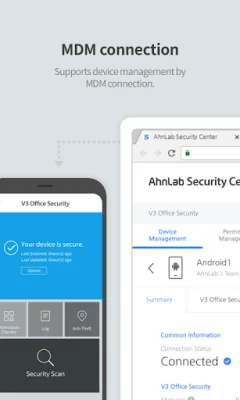
Latest Version
April 13, 2026
AhnLab Inc.
Tools
Android
0
Free
com.ahnlab.v3osandroid
Report a Problem
More About V3 Office Security (for Biz)
V3 OS is an application designed for IT managers in enterprise to protect their employees' mobile devices. It offers a variety of security features that can be accessed through AhnLab Office Security Center, a website specifically for managers. To use V3 OS, the device must be registered on the website and the V3 OS application must be installed on the device.
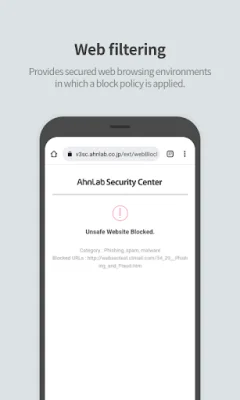
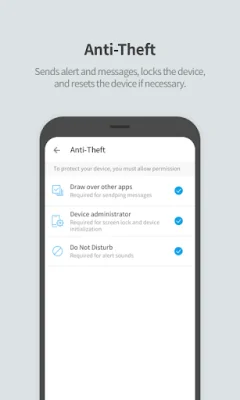
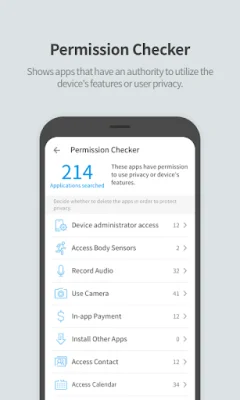
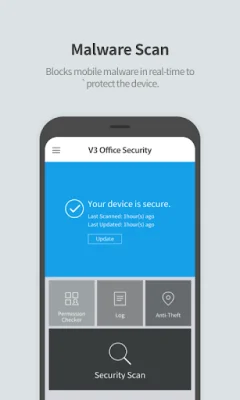
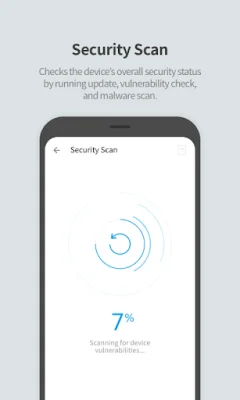
The application offers several key features, including Security Assessment, Malware scan, App authority checker, Lost Device Control, Web filtering, and MDM Connection. The Security Assessment feature checks the overall security status of the device by running updates, vulnerability checks, and malware scans. The Malware scan feature blocks mobile malware in real-time to protect the device. The App authority checker shows which apps have access to the device's features and user privacy. The Lost Device Control feature allows managers to send alerts and messages, lock the device, and even reset it if necessary. The Web filtering feature applies a block policy to ensure a secure web browsing environment. Lastly, the MDM Connection feature supports device management through MDM connection.
To use V3 OS, the device must have an Android 8.0 or later operating system. The application also requires certain permissions to function properly. These include access to all files for malware scans, notification access for detecting security risks, accessibility for threat response, VPN access for web filtering, device manager access to prevent malware from uninstalling apps, usage data access for managing app information, appearing on top for real-time threat information, and do not disturb for locating the device through sound alerts.
In accordance with the Information and Communications Network Act, V3 OS only asks for necessary permissions to provide its services. These permissions are clearly listed and explained to the user. By using V3 OS, IT managers can ensure the security of their employees' mobile devices and protect sensitive company information.
Rate the App














Popular Apps









