

WIFI Analyzer: WIFI Passwords
3.4.5 by Quantam Leaps (0 Reviews) August 24, 2024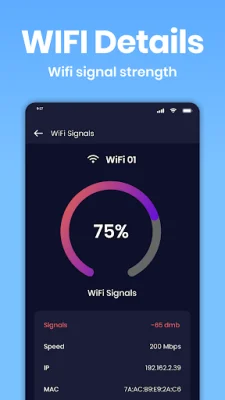


Latest Version
3.4.5
August 24, 2024
Quantam Leaps
Tools
Android
0
Free
com.wifi.password.wifipassword.unlock.freewifi.wifianalyzer.findinternet
Report a Problem
More About WIFI Analyzer: WIFI Passwords
WiFi Analyzer: WiFi Passwords is an application that helps you quickly and easily connect to free WiFi networks without having to ask for passwords. It also allows you to find nearby open WiFi connections, test their speed, and automatically connect to them using the Free WiFi master feature. This app, also known as IP Tools, is a must-have for anyone who is always on the go or unsure of where to find free WiFi.
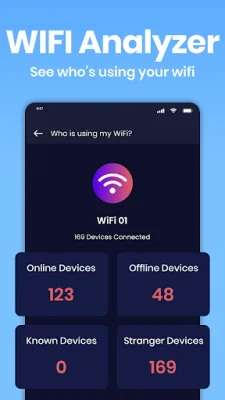
The WiFi Analyzer feature allows you to scan and analyze WiFi networks, including their signal strength, speed, and security. You can also use the WiFi Blocker feature to see who is using your WiFi hotspot and get details about the WiFi Key Master. The Network Scanner feature provides information about IP addresses and applications running on each device, while the No WiFi Monitors feature helps you find local mobile hotspots using the Senha WiFi app.
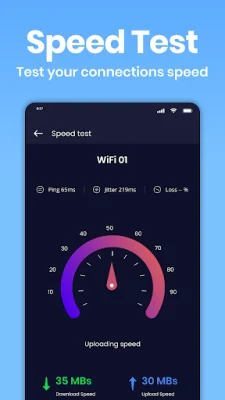
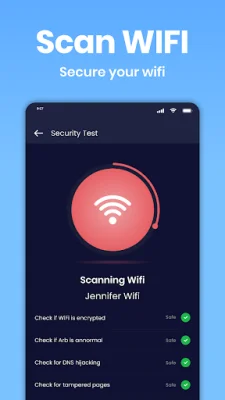
Some key features of WiFi Analyzer include the ability to connect with the nearest free WiFi spot, find and unlock WiFi passwords, and test the speed of your connection. You can also use the map feature to locate nearby WiFi hotspots and apply filters to find the nearest internet spot. The app supports various security protocols, such as WEP, WPA, WPA2, and WPA3, and can help you make sure that you are connected to a secure network.
WiFi Finder, also known as WiFi Map, is another useful feature that allows you to test the speed and strength of your WiFi connection. You can also use it to monitor the number of devices connected to your network and see who is using your WiFi. The Network Analyzer feature helps you troubleshoot network issues and perform security tests to ensure that you are connected to a secure network.
With WiFi Analyzer, you can also find WiFi passwords and block unwanted users from accessing your network. The app also has an activity analyzer feature that turns a public WiFi hotspot into a private network for added security. Additionally, the WiFi monitors and WiFi scanner features help optimize your WiFi network and improve its performance. Overall, WiFi Analyzer is a comprehensive and essential tool for anyone who relies on WiFi for their internet connection.
Rate the App















Popular Apps









