

WiFi Manager & Data Monitor
1.0.5 by Kraph Tech (0 Reviews) August 26, 2024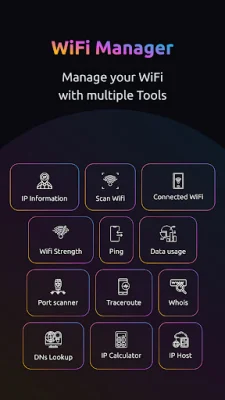
Latest Version
1.0.5
August 26, 2024
Kraph Tech
Tools
Android
0
Free
com.kraph.wifiexplorer
Report a Problem
More About WiFi Manager & Data Monitor
WiFi Manager & Data Usage Monitor is an application that allows you to easily manage your WiFi network. With this app, you can have better control over your network and make informed decisions to enhance your network experience. It provides you with a clear understanding of your connected devices and their data consumption, as well as insights into your WiFi signal strength and nearby networks. You can also use it to analyze your network's strength and perform various network utilities such as ping, port scanning, traceroute, and more.
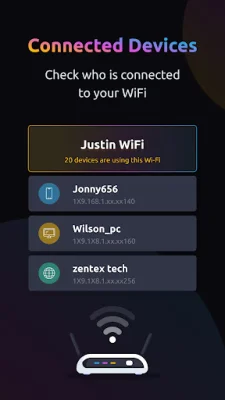
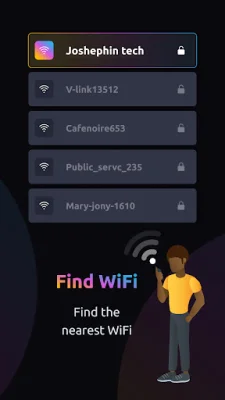
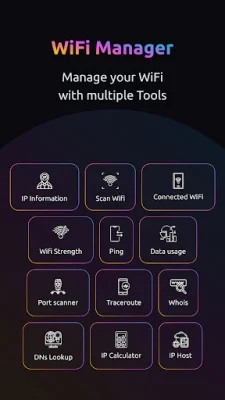
The app's key features include a connected devices overview, WiFi signal strength insights, scanning for nearby WiFi networks, network strength analysis, a ping tool, data usage monitoring, a port scanner, a traceroute utility, a Whois lookup, a DNS lookup, and an IP calculator. These features allow you to visualize all devices connected to your WiFi network, monitor their data consumption, check real-time signal strength and connection speed, and view detailed network information. You can also scan for nearby WiFi connections, switch between available networks, and see your currently connected WiFi network highlighted for better understanding.
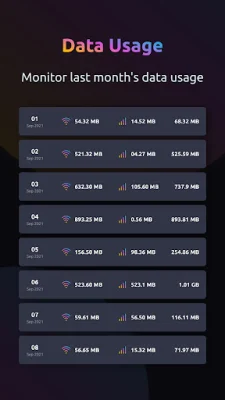
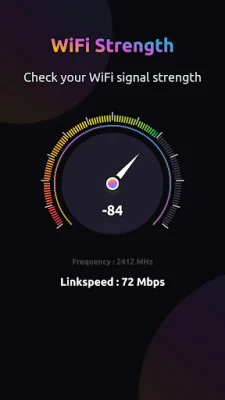
The app also provides a real-time WiFi strength meter, detailed metrics such as channel number and link speed, and a built-in Ping tool to test host reachability. You can track data usage on both WiFi and mobile networks, visualize data consumption date-wise, and get a summary of total data used over time. The app also offers a port scanner to probe servers for open ports, a traceroute utility to trace network routes and measure transit delays, and a Whois lookup to discover domain information. Additionally, you can use the DNS lookup to retrieve essential domain information and the IP calculator to calculate IPv4 network details.
The app requires certain permissions, including location permission to retrieve your WiFi network name, data usage permission to track monthly data usage on WiFi and mobile networks, and access WiFi state permission to enable WiFi scanning for nearby networks. With WiFi Manager & Data Usage Monitor, you can take charge of your network and effortlessly manage devices, monitor data usage, and enhance your network performance. Download now and elevate your network management experience!
Rate the App















Popular Apps









