

Wifi on/off - Widget
1.3.9 by malerbati (0 Reviews) October 29, 2025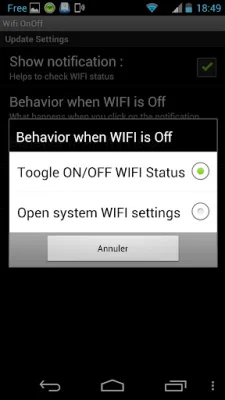
Latest Version
1.3.9
October 29, 2025
malerbati
Tools
Android
0
Free
com.malerbati.wifionoff
Report a Problem
More About Wifi on/off - Widget
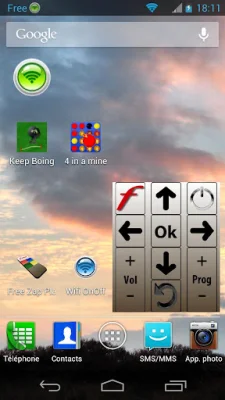
This WIDGET is a tool that displays the current status of your WIFI connection. It has four different states, each represented by a different color. The first state is red, which indicates that the WIFI is disabled or turned off. The second state is brown, which means that the WIFI is in the process of changing its state. The third state is orange, which shows that the WIFI is enabled or turned on, but not currently connected to a network. And finally, the fourth state is green, which indicates that the WIFI is both enabled and connected to a network.
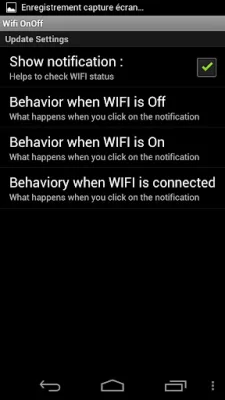
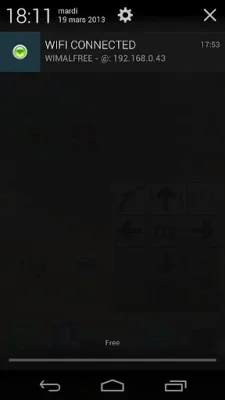
The WIDGET also has a Settings feature that allows you to customize what information is displayed in the notification bar. You can choose to have the WIFI status, SSID (network name), and IP address shown in the notification bar. This can be helpful for quickly checking your WIFI connection without having to open any additional apps or menus.
Additionally, clicking on the WIFI status in the notification bar will give you two options. If you have selected to show the WIFI status in the notification bar, clicking on it will toggle the WIFI state between ON and OFF. This is a convenient way to quickly turn your WIFI on or off without having to go into your device's settings. If you have chosen to show the SSID and IP address in the notification bar, clicking on the WIFI status will open the system WIFI settings, where you can view and manage your network connections.
The WIDGET's settings can be customized through the WIFI On Off application settings. This allows you to choose which options are available when clicking on the WIFI status in the notification bar. By personalizing these settings, you can make the WIDGET work best for your specific needs and preferences.
In summary, this WIDGET is a useful tool for monitoring and managing your WIFI connection. With its four different states and customizable settings, it provides a convenient and efficient way to stay connected to WIFI networks. Whether you need to quickly turn your WIFI on or off, check your network status, or access system WIFI settings, this WIDGET has you covered.
Rate the App















Popular Apps









