

5G 4G Force LTE Mode
by Prank Calling (0 Reviews) April 07, 2026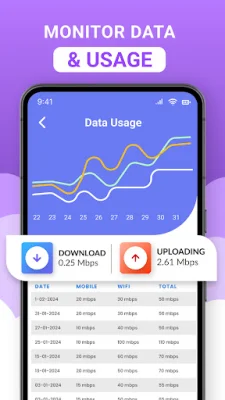
Latest Version
April 07, 2026
Prank Calling
Tools
Android
0
Free
com.fourg.fiveg.ltemode.speedtest.network
Report a Problem
More About 5G 4G Force LTE Mode
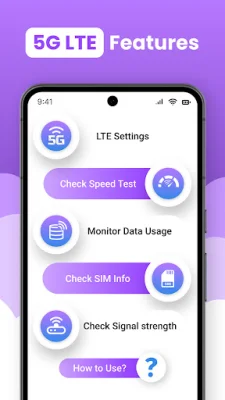
5G LTE MODE is a comprehensive tool that allows users to manage their WiFi details, perform internet speed tests, monitor connected devices, and track data usage all in one place. This app is designed to optimize the performance of your 5G LTE network and provide you with valuable information about your WiFi connection.
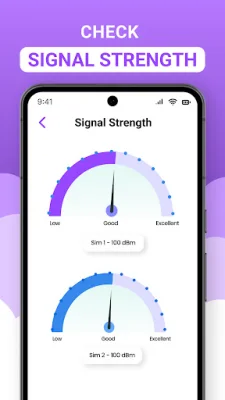
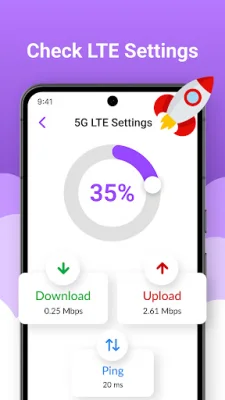
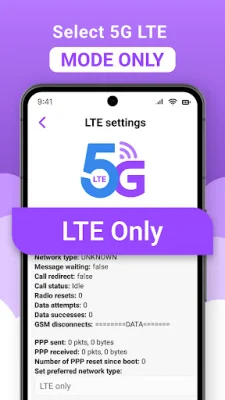
One of the key features of 5G LTE MODE is the ability to switch between 5G, 4G, and 3G modes for improved network performance. This is especially useful for those who live in areas with varying network coverage. The app also includes a Network Analyzer that provides detailed information about your network, such as signal strength and nearby networks.
In addition to managing your network, 5G LTE MODE also allows you to track your WiFi usage on a daily or monthly basis. This feature helps you identify which apps are consuming the most bandwidth, allowing you to better manage your data usage and potentially save money on your internet bill.
The app also includes a WiFi scanner that allows you to view all available networks in your area, along with their signal strength and security information. This can be useful for finding the best WiFi connection or detecting any unauthorized connections.
Another useful feature of 5G LTE MODE is the ability to see which devices are currently connected to your WiFi. This can help you identify any unknown users or unauthorized connections, providing an added layer of security for your network.
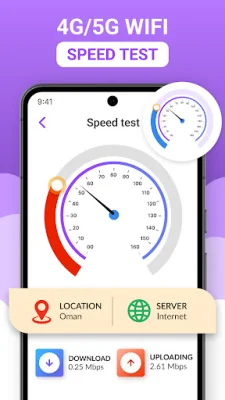
Lastly, the app includes an internet speed test that allows you to quickly and easily test your download and upload speeds. This information can be saved and analyzed over time to track your internet performance.
To use 5G LTE MODE, simply open the app and access the settings. From there, you can choose your preferred network type and access other network options. It's important to note that some devices may restrict access to certain network options, so functionality may vary depending on your device model and Android version.
In conclusion, 5G LTE MODE is a valuable tool for anyone looking to optimize their 5G LTE network and manage their WiFi connection. With its various features and easy-to-use interface, this app is a must-have for anyone who wants to stay connected and in control of their data usage.
Rate the App











Popular Apps









