

Andronix - Linux on Android
7.1-rc1-release by Devriz Technologies LLP (0 Reviews) September 11, 2024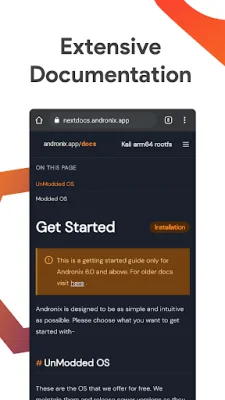
Latest Version
7.1-rc1-release
September 11, 2024
Devriz Technologies LLP
Tools
Android
0
Free
studio.com.techriz.andronix
Report a Problem
More About Andronix - Linux on Android
Andronix is an application that allows you to run your favorite Linux distribution on your Android devices. It uses PRoot to enable this functionality and utilizes Termux as the terminal for the Andronix Operating System. With Andronix, you can do pretty much anything you would like to do on your Android device, such as web browsing, coding, and more, without taxing your phone's hardware.
One of the great features of Andronix is that you don't have to worry about multi-booting your system. This means you can have all the Un-Modded and Modded OS installed at once, up to 12 OS, as long as you have enough storage space. You can also easily install and uninstall as many OS as you like.
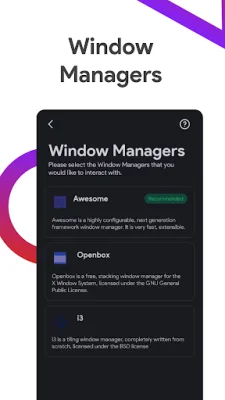
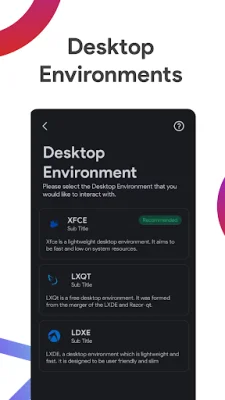
Andronix provides access to Linux containers through a CLI (Command Line Interface) similar to an SSH connection, a GUI (Graphical User Interface) with various Desktop Environments like LXQt, Xfce, and LXDE, and GUI powered by Window Managers such as Awesome, i3, and Openbox. More information can be found in the Andronix documentation at https://docs.andronix.app.
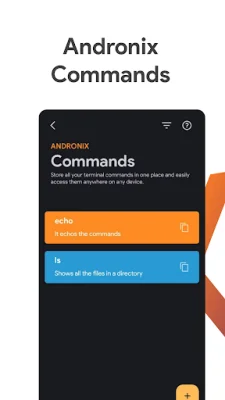
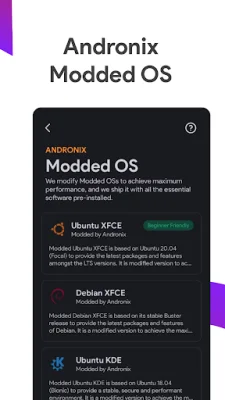
Andronix is completely free to use, with no ads, for all Un-modded distros. Modded OS is available for a one-time purchase, which is very economical considering it is a lifetime purchase with unlimited installs on unlimited devices. Additionally, users can support the developers by purchasing Andronix Premium, which offers perks such as online sync with Andronix Commands and a web app for access from any device.
While Andronix is partially open-source, with all free distro tar files and shell scripts available on their GitHub repository, the paid aspects, such as the Android app and Modded OS files, are closed-source for obvious reasons. However, Andronix still loves open-source and offers free access to everything for life to developers and maintainers of open-source projects. Just contact them for verification.
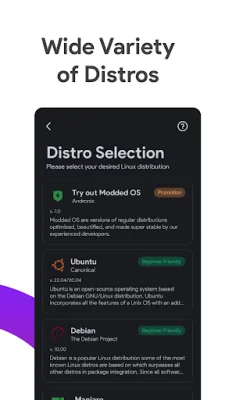
Currently, Andronix supports 8 Un-Modded OS and 4 Modded OS, including Ubuntu, Debian, Manjaro, Fedora, Kali, Void, Alpine, and Arch (Beta support). It also supports various Desktop Environments such as LXDE, LXQT, and XFCE, as well as Window Managers like Awesome, i3, and Openbox. To use Andronix, you will need Termux (F-Droid version) and an Android device with at least version 7.0 and an ARMv7, ARM64, or x64 architecture. Connect with Andronix through their Discord, blog, GitHub, website, and Twitter for more information and updates.
Rate the App















Popular Apps









