
Shareall: File Transfer, Share
by Medialogix Studio (0 Reviews) November 22, 2025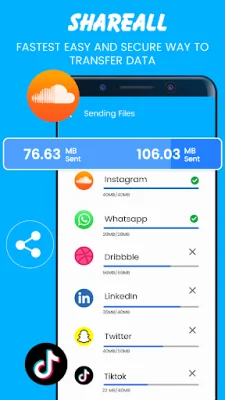
Latest Version
November 22, 2025
Medialogix Studio
Tools
Android
0
Free
com.medialogix.shareall.data.filetransfer.shareapps.sharefiles
Report a Problem
More About Shareall: File Transfer, Share
This application is now compatible with Android 9 and Android 10 versions. To use it, both devices must have the app installed and then run it. Once the app is running, users can easily share files with those around them.
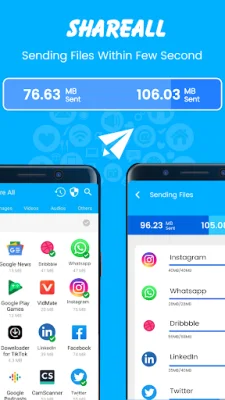
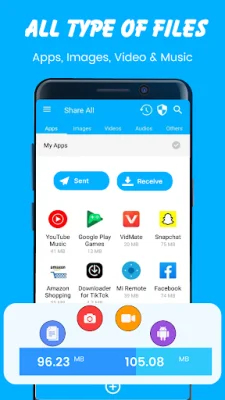
The app, called Share All, allows users to quickly share various types of files such as apps, images, videos, music, and documents without using any mobile data. The process is simple and only requires a few steps. First, the app must be launched. Then, users can click on "Send" to send files or "Receive" to receive files. On the receiver's side, a hotspot will be automatically created. On the sender's side, files can be selected to be sent. Once the sender's Wi-Fi is connected to the receiver's hotspot, the receiver's image will be displayed on the sender's screen. Clicking on the image will establish a connection and the files will start transferring without the need for an internet connection.
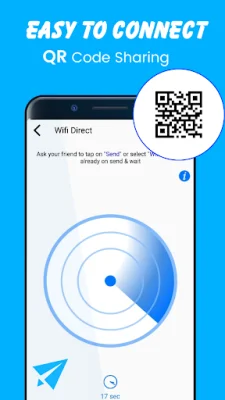
It is important to note that this app will not access any permissions that are not relevant to its functionality. However, there are a few permissions that are required for the app to function properly. These include location, camera, and storage permissions. Location access is necessary for the app to discover nearby users and is also required by the Android system. Camera access is needed to scan QR codes for connection. Storage access is necessary to show the user's files.
The main features of Share All include the ability to transfer files without using any data, easy management of transfer history and received files, no size limitations for file transfers, and the ability to share files offline at any time. The app is called "Share All: File Transfer & Share Apps - SHARE" and can be downloaded for free. If users have any feedback, they can contact the developers at [email protected].
Rate the App









Popular Apps









