

SIM Switch Quick Settings
0.1 by Koji Ishii (0 Reviews) September 02, 2024
Latest Version
0.1
September 02, 2024
Koji Ishii
Tools
Android
0
Free
com.kojiishi.simswitch
Report a Problem
More About SIM Switch Quick Settings
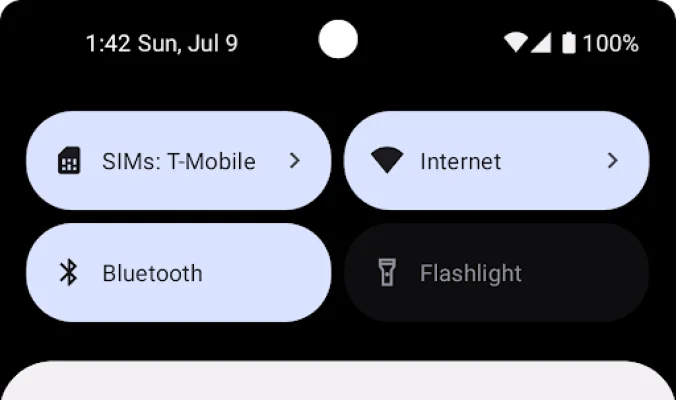
This app is designed to make it easier for users to access and manage their default data SIM settings. By adding a Quick Settings tile, users can quickly view the current default data SIM name without having to navigate through multiple menus. This saves time and effort, making the process more efficient and convenient for users.
Once the Quick Settings tile is added, users can simply tap on it to open the SIM settings. This allows them to easily change the default data SIM without having to search for the option in their device's settings. This feature is especially useful for users who frequently switch between multiple SIM cards or need to change their default data SIM for different purposes.
In order for the Quick Settings tile to display the current data SIM name, users will need to open the app once and grant the necessary permission. This ensures that the app has access to the necessary information and can accurately display the current default data SIM name. This step is quick and easy, and only needs to be done once for the app to function properly.
Overall, this app offers a simple and efficient solution for managing default data SIM settings. By adding a Quick Settings tile, users can easily access and change their default data SIM without having to go through multiple steps. This saves time and effort, making the process more convenient for users. With just a few taps, users can have full control over their default data SIM and ensure that it is set to their preferred option.
In addition to its practical functionality, this app also offers a user-friendly interface and a seamless user experience. It is designed to be intuitive and easy to use, making it accessible for users of all levels of technical expertise. With this app, managing default data SIM settings has never been easier or more convenient.
Rate the App















Popular Apps









