
Volume Button Changer
by 1 More App (0 Reviews) November 25, 2025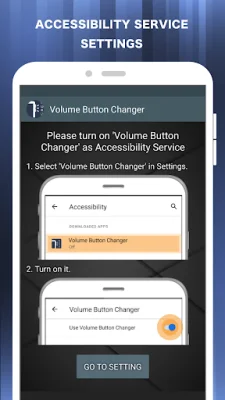
Latest Version
November 25, 2025
1 More App
Tools
Android
0
Free
nu.vol.changer
Report a Problem
More About Volume Button Changer
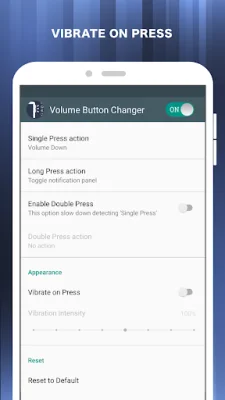
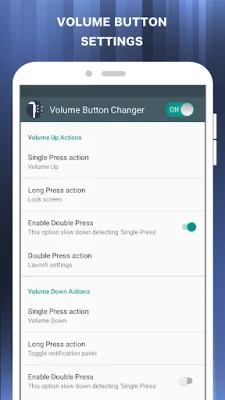
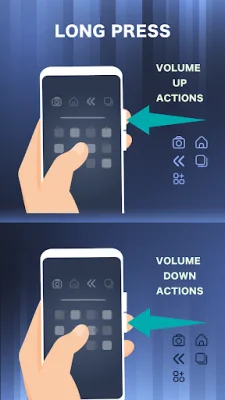
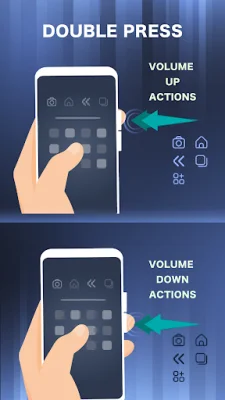
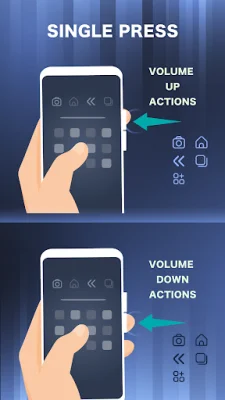
This application allows you to easily customize the functionality of your volume buttons on your device. With just a single press, double press, or long press, you can launch any app, shortcut, or custom action. And the best part? It's completely free to use!
The key features of this app include the ability to disable the volume button and support for actions while the screen is off. This means you can still use the volume buttons to perform actions even when your screen is locked.
There are a variety of actions that you can assign to the different press options, such as opening the camera and taking a photo, adjusting screen brightness, going back to the previous screen, or launching specific apps. You can also use the volume buttons to toggle Wi-Fi, access the power menu, split the screen, or even launch voice commands.
In order to enable these features, the app requires accessibility service permission. However, rest assured that the app will not read any sensitive data or share it with third parties. By enabling the service, you can access additional features such as back, home, and recent actions, as well as lock screen and screenshot options. If you disable the accessibility service, the main features of the app will not work properly.
If you ever want to uninstall the app, simply go to the settings within the app and select the uninstall option. Please note that if you have activated the lock screen function, you will need to turn off device administration before uninstalling.
The app also requires certain permissions in order to function properly, such as access to your phone, notifications, Wi-Fi, Bluetooth, and storage. These permissions are necessary for specific actions, such as making a phone call, toggling Do Not Disturb mode, or saving a screenshot. The app also has the ability to show a navigation bar on your screen and vibrate when you touch the navigation button.
Rate the App












Popular Apps









