
Web Filter for Chrome and SPIN
12.04-gp by National Education Technologies Inc. (0 Reviews) November 14, 2025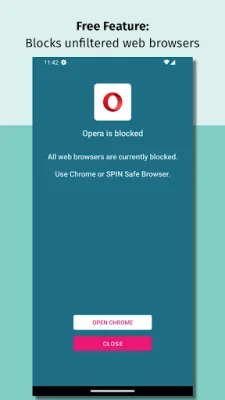

Latest Version
12.04-gp
November 14, 2025
National Education Technologies Inc.
Tools
Android
0
Free
com.nationaledtech.managespin
Report a Problem
More About Web Filter for Chrome and SPIN
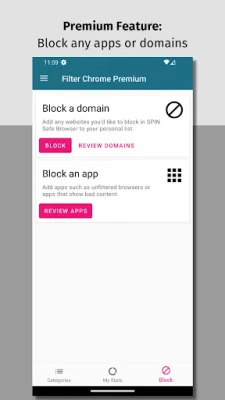
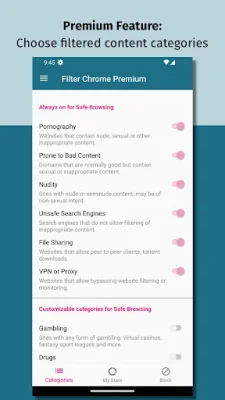
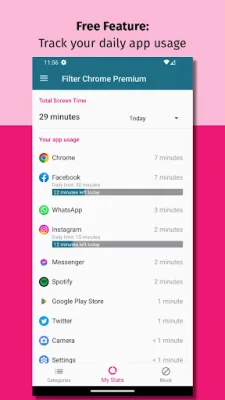
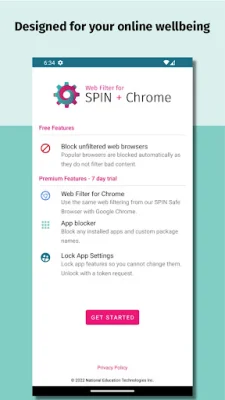
Web Filter for Chrome and SPIN is an app designed to help individuals improve their digital wellbeing by providing a community-driven web filter and app blocker. Unlike other similar apps, Web Filter does not spy or shame users, and does not contain any third-party analytics. It is solely focused on helping users improve their digital habits without compromising their privacy. The app includes a free version with basic features such as a web filter and the ability to review daily app usage. The paid premium version offers additional features such as a 7-day free trial, a web filter for Chrome, an app blocker, a daily app timer, and the ability to lock app settings. It also includes additional web filtering categories and the ability to block custom websites and domains. One of the key features of Web Filter is its ability to automatically limit adult content while browsing the internet. This helps users avoid accidentally stumbling upon inappropriate content. The app also allows users to set daily time limits for specific apps, helping them break free from time-wasting apps in categories such as games, social media, and streaming platforms. Web Filter also aims to make popular browsers safer by adding web filtering and enforcing safe search results on Google searches. This feature is not available on popular Android web browsers, making Web Filter a valuable tool for those looking for a safer internet experience. For added accountability, the premium version of Web Filter offers the option to lock app settings, preventing any changes from being made without a token sent via email. This ensures that users stick to their desired app usage limits. The app's filtering technology collects the minimum amount of information necessary to provide a great user experience, and all information is collected anonymously. This includes URLs visited in the SPIN Safe Browser and Chrome, which is used to validate if a domain should be allowed or blocked based on content categories. By using the app, users agree to the privacy policy, which can be found on the app's website. In order to function properly, Web Filter uses certain permissions such as AccessibilityServices API to read URLs in Chrome and embedded browser activities, Display over other apps permission to block apps, and Usage Access permission to grab app usage data. However, no data is shared with the app's service.
Rate the App













Popular Apps









