

Call Recorder for Android
10.2 by AksymTech (0 Reviews) November 12, 2025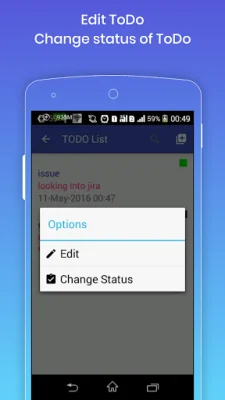

Latest Version
10.2
November 12, 2025
AksymTech
Tools
Android
0
Free
com.aksym.callrecorderforandroid
Report a Problem
More About Call Recorder for Android
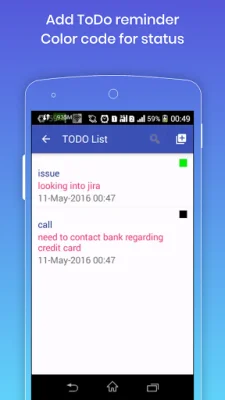
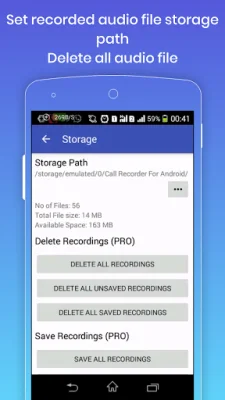
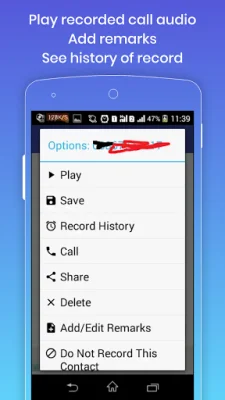
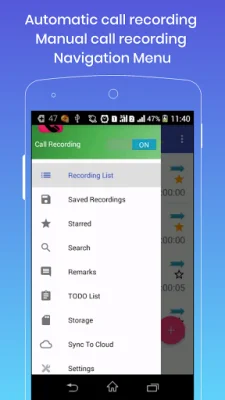
This application allows you to easily share call recordings with anyone and upload them to popular cloud services like Google Drive and Dropbox. In addition, you can also use this app to create a to-do list and set reminders for your tasks. The app also features an automatic call recorder and a reminder for your to-do list. Please note that call recording may vary depending on your device and location. If you experience any issues with recording calls, try changing the audio source in the app's settings. It is also important to note that while using this app, you should not use any other call recording apps. The app offers a variety of useful features, including automatic recording of incoming and outgoing calls, the ability to enable or disable automatic recording, and login protection. You can also start and stop call recordings from the notification bar and upload them to cloud services. Additionally, you can add remarks to your call recordings and change the storage location for them. The app also offers a widget that displays the number of saved and unsaved recordings, and you can click on it to open the app. You can also search for specific call recordings and save or "star" them to prevent them from being automatically deleted. In the pro version of the app, you can enjoy an ad-free experience and have the option to change the recording list count to 50, 100, 500, 1000, or unlimited. You can also add contacts to the auto-save recordings list, ignore recordings list, and recordings list from the settings. The app also offers different call recording modes, such as recording all calls, recording from an ignore list, recording from a known number, and recording from an unknown number. You can also delete all call recordings or just saved or unsaved recordings, as well as save and share all call recordings or just incoming or outgoing recordings. The app also offers multi-select options for call recordings, allowing you to save, share, or upload them to the cloud with a long press. The app requires certain permissions to function properly, such as recording audio, accessing your Google account for uploading files, and reading your phone state and contacts for call recording purposes. However, the app does not store any of your data. If you encounter any issues with the app, please contact the developers via email. They value originality and SEO optimization in their responses.
Rate the App













Popular Apps









