

Find My Bluetooth Device
by Pranam App Zone (0 Reviews) November 13, 2025


Latest Version
November 13, 2025
Pranam App Zone
Tools
Android
0
Free
findheadset.headphone.pairdevice.devicefinder
Report a Problem
More About Find My Bluetooth Device
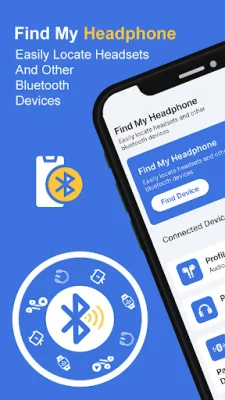
The Speakers app is a useful tool for tracking down any type of device. It allows you to easily locate your headphones by using a bluetooth headset locator. This means you can toss your headphones anywhere without worrying about losing them, as the app will help you find them when you need them again.
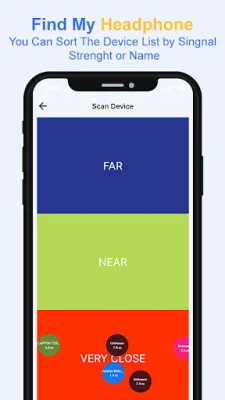
The app is compatible with headphones from all popular brands, and works by using a device radar. Simply turn on the radar and walk around the room. As you get closer to your missing item, the meter will enter the "red hot zone" and your search will be over. This feature is especially helpful if you're in a hurry and need to find your device quickly before the batteries run out.
Air Tracker is not just limited to headphones, it can also help you find other devices such as Galaxy Buds Pro, Galaxy Buds Live, AirPods, Apple Pencil, iPhone, iPad, Apple Watch, Fitbit® tracker, and even your phone if it's lost. With this app, you can easily locate your devices within seconds.
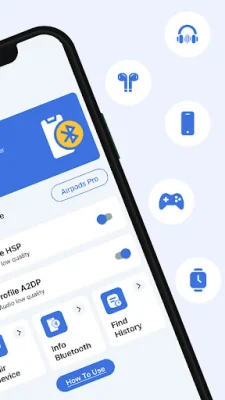
The app also has a feature called "Find My Bluetooth Device Pair" which automatically connects to your most used Bluetooth devices, saving you time and hassle. You can also manage all your paired devices and unpair any that you no longer need. Additionally, you can filter your search for Bluetooth devices to make it easier to find the one you're looking for.
To use the Bluetooth device locator, simply click on the "Search devices" button and check out the list of found devices. Once you've selected the device you want to track down, the app will show you how close you are to it. However, it's important to note that you should walk slowly and pay attention to the radar for the best results. Also, make sure your device is powered on and within a detectable range to ensure a successful search.
The app also offers a "How to use" option for easy understanding, and displays details about the Bluetooth devices such as name, mac address, and discover mode. It also keeps a history of your scanned devices for future reference. To access all the features of Air Tracker, you will need to allow the app to access your Bluetooth. This will ensure that you can find your device quickly and easily. So, if you're looking for a reliable and efficient way to locate your Bluetooth devices, try out the Find My Headphones app for free today!
Rate the App












Popular Apps









