

ML Manager: APK Extractor
5.0 by Javier Santos V (0 Reviews) November 14, 2025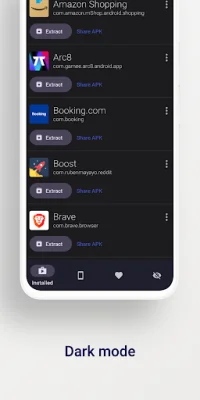




Latest Version
5.0
November 14, 2025
Javier Santos V
Tools
Android
0
Free
com.javiersantos.mlmanager
Report a Problem
More About ML Manager: APK Extractor
Meet ML Manager, the ultimate app manager and extractor for Android with a sleek Material Design interface. This powerful app allows you to easily extract any installed or system apps and save them as APK files. With batch mode, you can extract multiple APKs at once, making the process even more efficient. Plus, you can easily share these APKs with other apps like Telegram, Dropbox, or Email.
Organization is made simple with ML Manager. You can mark your favorite apps for quick and easy access. And for those who like to stay up to date, you can even upload your latest APKs to APKMirror. But that's not all - you can also uninstall any installed app with just a few taps. And the best part? No root access is required for any of these features.
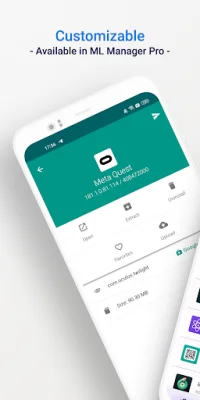
If you're looking for even more advanced features, check out the Pro version with root access. This allows you to uninstall system apps, hide apps from the device launcher, and clear cache and data for any app. You can also enable the new compact mode for a more elegant experience. And don't worry about interrupting your workflow - ML Manager can extract APKs in the background while you continue to extract other apps.
But don't just take our word for it - see what the media is saying about ML Manager. AndroidPolice praises its ease of use, while PhoneArena highlights its essential features and beautiful design. Xataka Android calls it the easiest way to extract and share APKs, and HDBlog recommends it for its simplicity and optimization. With ML Manager, managing and extracting apps has never been easier.
Rate the App















Popular Apps









