

One Hand Operation +
8.5.11.0 by Samsung Electronics Co., Ltd. (0 Reviews) November 13, 2025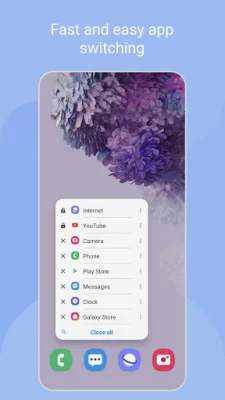
Latest Version
8.5.11.0
November 13, 2025
Samsung Electronics Co., Ltd.
Tools
Android
0
Free
com.samsung.android.sidegesturepad
Report a Problem
More About One Hand Operation +
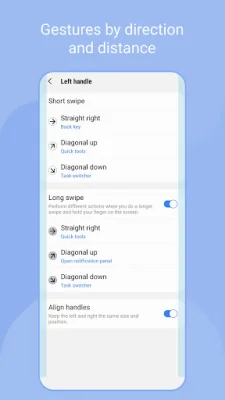
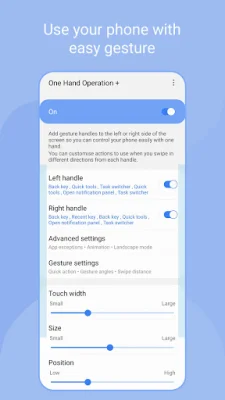
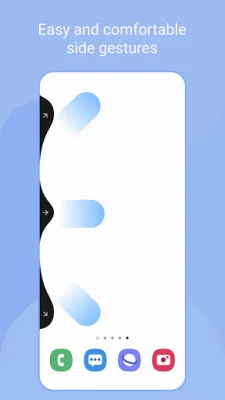
This application adds a thin gesture handle to the left or right side of your screen, which can be swiped to execute various functions. The default function is a back button, but you can customize it to perform different actions for horizontal, diagonal, and long swipe gestures. The handle's settings can also be adjusted to optimize gesture recognition based on factors like hand size and phone case shape.
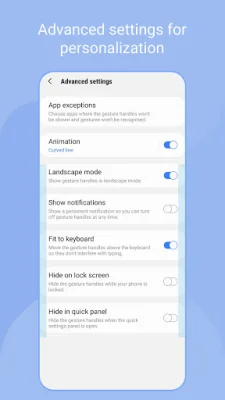
The handle receives touch events on top of any running app, which may interfere with its functionality. To avoid this, it is recommended to set the handle as thin as possible. In cases where touch interference is severe, you can set exceptions for specific apps in the advanced settings.
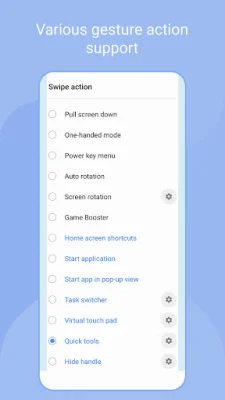
Currently, the app offers a variety of functions such as back, home, recent, and menu keys, as well as options to open notification and quick panels, turn off the screen, and more. The developers plan to add even more functions in the future.
Some of the unique features of this app include the ability to start applications in pop-up view, move the screen, use a virtual touch pad, and enable floating navigation buttons. It also offers keyboard shortcuts for added convenience.
With this app, you can enjoy the convenience of using gestures on your phone or tablet. It offers a wide range of functions and customizable settings to enhance your overall user experience. Give it a try and see how it can make your device even more user-friendly and efficient. Thank you for choosing our app!
Rate the App















Popular Apps









