
Signal Test - 5G, 4G, WiFi
by Broadband Savvy (0 Reviews) November 13, 2025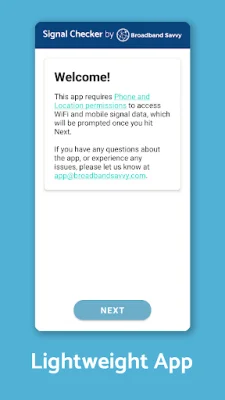


Latest Version
November 13, 2025
Broadband Savvy
Tools
Android
0
Free
com.signal.signaltest
Report a Problem
More About Signal Test - 5G, 4G, WiFi
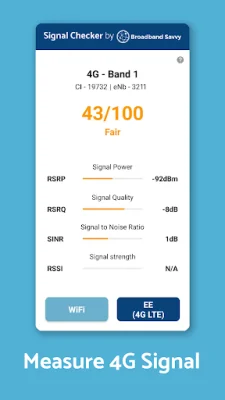
Signal Test is a user-friendly app that allows you to monitor your signal strength in real time. All you have to do is open the app and grant the necessary permissions. The app then measures important signal quality and strength metrics and rates your signal on a scale from 0 to 100. This information can be used to troubleshoot and improve your signal, as well as provide other useful data such as cell tower and band information. In mobile signal mode, the app provides additional data points such as Evolved NodeB ID and Cell Identity to help identify the specific base station and sector/cell your phone is connected to. This can be useful in determining why your signal may be performing well or poorly. For WiFi signals, the app measures the Received Signal Strength Indicator (RSSI) and converts it into a score out of 100 to assess overall quality. Signal Test has a variety of use cases, including finding the best location for a 4G/5G router or antenna, troubleshooting and improving signal at home or work, and identifying the best mobile network in a given area. It can also be used to locate WiFi access points and determine the best placement for them. To use Signal Test, simply install the app and grant the necessary permissions. You will then be able to see your WiFi signal strength and score on the first page. To measure 4G or 5G signal, tap the button in the bottom right and the app will measure the performance of your active SIM. If you encounter any issues, make sure WiFi or mobile data is enabled and try turning airplane mode on and off. If problems persist, you can generate a debug log and email it to the app developers for assistance. Please note that 2G and 3G mobile connections are not currently supported by the app. It is also normal for signal updates to take a few seconds and may require you to move to a new location for the data to update. Signal Test is a valuable tool for anyone looking to improve their signal strength and troubleshoot any issues they may be experiencing.
Rate the App














Popular Apps









